

How to Evaluate The Top Knowledge Base Software for Customer Support
Struggling to choose the right knowledge management software for your team in 2026? You are not alone. With the market projected to grow from $5.23 billion to over $35 billion by 2029, the number of options—and the marketing hype—has exploded.
To help you cut through the noise, this guide provides a vendor-neutral, data-driven framework for evaluation. We will analyze the top 10 platforms, break down real costs, and give you a step-by-step process to find the perfect fit for your budget and support volume.
Why “Just a FAQ Page” Will Cost You Money in 2026
Customer expectations have changed. In 2026, 81% of customers try to solve problems alone before contacting an agent. If your self-service fails, they don’t just open a ticket; they get frustrated.
Modern knowledge management software is no longer a static digital library. It is an AI-powered engine that:
-
Deflects tickets: AI can now handle 40-60% of routine questions, saving $15-20 per ticket.
-
Reduces agent burnout: Agents spend 20% of their time searching for information. A smart KB cuts that down instantly.
-
Creates content automatically: The best tools analyze past support conversations and write draft articles for you.
The 2026 AI Maturity Framework: Don’t Get Fooled by Buzzwords
When evaluating knowledge management software, you must look past the “AI-powered” label. Use this tier system to separate real capability from marketing fluff.
| Tier | Capability | How it Works | Expected Deflection | Example Vendors |
|---|---|---|---|---|
| Tier 1 | Basic Keyword Search | Exact phrase matching only. “Reset password” won’t find “I forgot my login.” | 20-25% | Legacy built-in help desks |
| Tier 2 | Semantic Search | Understands intent and context. Recognizes synonyms and conversational language. | 30-40% | Zendesk Guide, Freshdesk |
| Tier 3 | Automated Content Mgmt | AI drafts articles from resolved tickets and spots content gaps automatically. | 40-50% | Document360, Guru |
| Tier 4 | Predictive Learning | Predicts future content needs based on product updates and user behavior. | 50-60%+ | Clarity, Advanced Enterprise AI |
The Verdict for 2026: Avoid Tier 1. If you have a small team, Tier 2 is the minimum. To actually reduce headcount or scale support, you need Tier 3 or 4.
Top 10 Knowledge Management Software: At a Glance
We have analyzed 10 leading platforms. Here is your quick reference table for 2026.
| Platform | Best For | Starting Price (USD) | AI Tier | Key Strength |
|---|---|---|---|---|
| Clarity | AI-First Unified Support | Custom (Volume based) | Tier 3-4 | All-in-one (KB + Helpdesk + AI) |
| Document360 | Technical Documentation | $149/project/month | Tier 3 | Best-in-class version control |
| KnowledgeOwl | Speed & Simplicity | $79/month | Tier 2 | Easiest “out of the box” setup |
| Confluence | Internal IT & Dev Wikis | $5.75/user/month | Tier 2-3 | Seamless Jira integration |
| Guru | Workflow Integration | $15/user/month | Tier 3 | AI that works inside Slack/Teams |
| Notion | Flexible Team Wikis | $10/user/month | Tier 2 | Highly customizable interface |
| Helpjuice | Deep Customization | $120/month | Tier 2-3 | Flat-rate pricing & HTML/CSS control |
| Zoho Desk | Multi-brand Support | $14/user/month | Tier 2 | Great for Zoho ecosystem users |
| Slite | Budget Collaboration | $6.67/user/month | Tier 2-3 | Beautiful UI for small teams |
| Stonly | Interactive Guides | Custom | Tier 2-3 | Step-by-step decision trees |
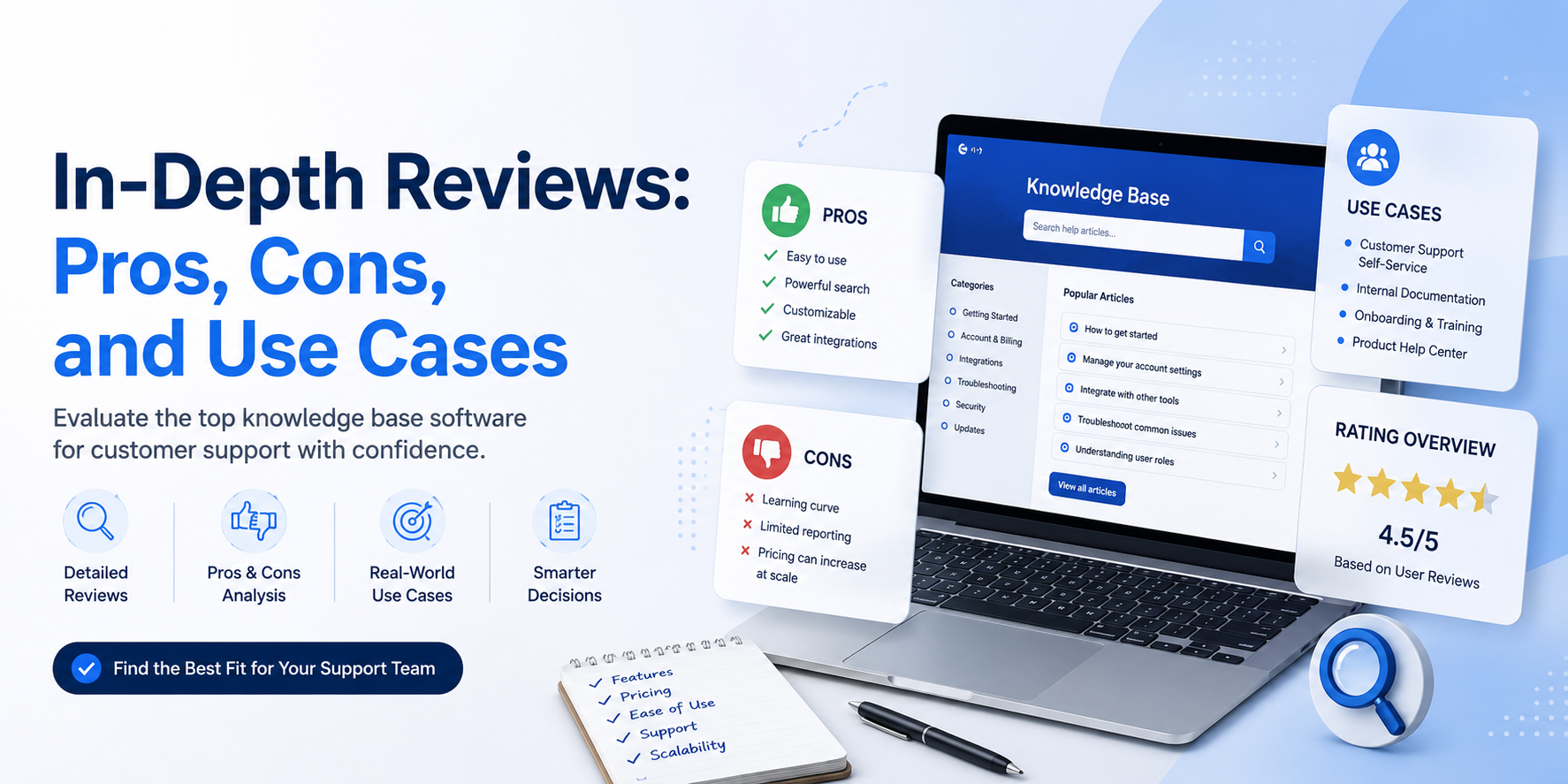
In-Depth Reviews: Pros, Cons, and Use Cases
Here is a breakdown of the top contenders, focusing on real-world implementation for eCommerce, SaaS, and internal teams.
1. Clarity: The Integrated Powerhouse (Best Overall)
Clarity is the “new school” of support. Instead of buying a separate help desk, chatbot, and KB, you get one unified platform.
-
Why it wins: The AI doesn’t just search; it acts. It reads customer emails and suggests articles to agents automatically. If an answer isn’t there, it flags the gap.
-
Pricing: Custom (usually $500-$2000+/mo for mid-market). No free tier.
-
Use Case: Scaling B2B SaaS companies tired of managing 5 different tools.
-
Pros: 50-60% deflection rates, automated article writing, unified analytics.
-
Cons: Expensive for very small teams; requires a shift away from legacy tools.
2. Document360: The Writer’s Choice
If you need a beautiful, public-facing help center with heavy documentation (like API docs or user manuals), this is your pick.
-
Why it wins: The Markdown editor and category manager are chef’s kiss. It is built for writers, not just agents.
-
Pricing: Starts at $149/project/month.
-
Use Case: Product-led SaaS companies needing external customer hubs.
-
Pros: Excellent SEO controls, AI-powered search (Tier 3), version rollback.
-
Cons: Per-project pricing hurts large enterprises; limited native helpdesk integration.
3. KnowledgeOwl: The “Just Works” Solution
Don’t need AI hype? KnowledgeOwl is a simple, standalone tool that focuses on reading analytics and ease of use.
-
Why it wins: It is famously easy to set up (1-2 weeks) and has the most responsive customer support in the industry.
-
Pricing: $79/month (1 author).
-
Use Case: Small businesses (1-10 agents) or non-profits.
-
Pros: Flat pricing, unlimited KBs, fantastic support.
-
Cons: AI is basic (Tier 2), no native ticketing system integration.
4. Guru: The Internal Search Engine
Guru is designed for internal use. It integrates directly into Slack, Teams, and your browser to provide “just-in-time” information.
-
Why it wins: It uses AI to verify information. It will ask subject matter experts to “verify” cards (articles) every few months so nothing goes stale.
-
Pricing: $15/user/month.
-
Use Case: Remote teams who live in chat apps and need fast internal answers.
-
Pros: Stops knowledge decay, perfect for sales/support handoff.
-
Cons: Not great for public-facing customer help centers; pricey per user.
Also Read :InSnoop Exposed: Can This Instagram Story Viewer Really Keep You Hidden in 2026?
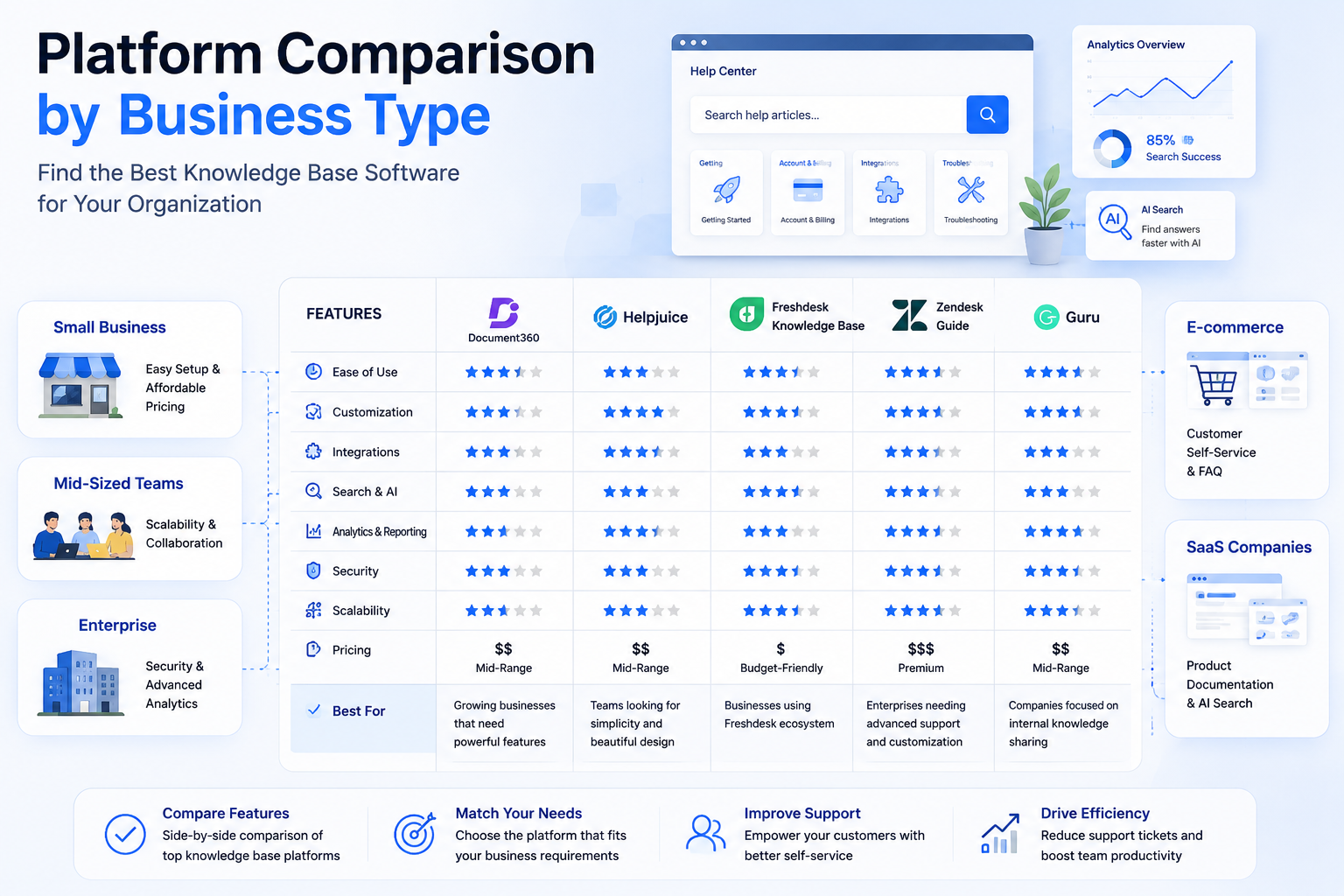
Platform Comparison by Business Type
Not all knowledge management software fits every industry. Here is how to narrow your list based on your vertical.
For eCommerce Sellers (Shopify, Magento)
-
Needs: Order status tracking, return policies, shipping FAQs, integration with chat.
-
Top Picks: Zendesk Guide (if already using Zendesk) or Gorgias (eCommerce specific). Avoid heavy technical tools like Confluence.
-
Key Feature: Look for “pre-ticket search” that shows articles before the customer clicks “submit ticket.”
For Content Creators & Marketers
-
Needs: SEO optimization, embedding videos, trackable analytics (time on page), and a nice UI.
-
Top Picks: Document360 (best SEO) or Helpjuice (best customization).
-
Key Feature: Look for Google Analytics integration and the ability to white-label the domain (help.yourbrand.com).
For B2B & SaaS Businesses
-
Needs: API documentation, integration with Jira/Linear, role-based access (internal vs. external), and AI gap analysis.
-
Top Picks: Clarity (best for reducing tickets) or Confluence (best for dev teams).
-
Key Feature: Look for “content versioning” and AI that suggests updates based on product change logs.
For Internal Enterprise (HR, IT, Ops)
-
Needs: Security (SSO/SAML), permissions, verification workflows, and search across silos.
-
Top Picks: Guru (best for verified knowledge) or Bloomfire (best for video/visual search).
-
Key Feature: Look for “analytics on search zeros”—what are employees searching for that isn’t there?
Pricing Deep Dive: Credit Systems & Hidden Costs
Knowledge management software pricing is tricky. Here is the truth about the fine print.
1. Per-User vs. Per-Project
-
Per User (e.g., Confluence, Guru): Great for internal teams. Watch out for: “Viewers” costing as much as “Editors.” Your whole company might need access, which gets expensive fast.
-
Per Project (e.g., Document360): Great for public help centers. Watch out for: “Projects” usually mean separate KBs. If you need one for English, one for Spanish, and one for Internal use, you pay 3x.
2. The “AI Credit” System (New for 2026)
Many AI tools (like Intercom or some KBs) charge extra for AI usage via “credits.”
-
How it works: You pay $0.01 – $0.05 per AI resolution or article generation.
-
Example: If you deflect 1,000 tickets using AI, that could cost an extra $50/month on top of your subscription.
-
Advice: Always ask: “Is AI usage capped, and what is the overage fee?”
The ROI Calculation (Show this to your CFO)
Do not look at the price tag. Look at savings.
Formula: (Monthly Tickets) x (Deflection Rate) x (Cost Per Ticket) – (Platform Cost) = Savings
Case Study: A mid-size team handling 3,000 tickets/month.
-
Current cost: 3,000 tickets x $15 = $45,000/month.
-
With Tier 3 Software (40% deflection): 1,200 tickets deflected.
-
Savings: 1,200 x $15 = **$18,000 saved.**
-
Software Cost: ~$2,000/month.
-
Net ROI: $16,000/month.
How to Execute a Successful Evaluation (A 30-Day Plan)
Buying the software is easy; making it work is hard. Follow this 4-week plan to avoid failure.
Week 1: Audit & Goals
-
Stop writing content.
-
Look at your last 100 support tickets. What are the top 10 questions?
-
Goal: Define your “MVP” content list (just those 10 questions).
Week 2: The “Search Test”
-
Sign up for 2-3 free trials.
-
Upload your top 10 articles.
-
Ask a non-technical friend to search for those answers using conversational language (“How do I change my email?”).
-
Goal: Eliminate any tool that returns “No results found” for obvious questions.
Week 3: The Agent Workflow Test
-
Give 3 support agents access to the tool.
-
Ask them to solve live tickets using only the KB.
-
Goal: Measure “Time to Insert.” How many clicks does it take to paste a link into an email?
Week 4: Maintenance Review
-
Who owns this content?
-
Goal: Check if the tool has “stale content” reports. If it doesn’t have a way to audit old articles, do not buy it.
Frequently Asked Questions (FAQs)
1. Is knowledge management software worth it for a startup?
Yes, but start small. Do not buy Confluence for 50 people immediately. Use Notion or Slite for the first year. Once you hit 100+ tickets per day, switch to a dedicated tier 2-3 platform like KnowledgeOwl or Clarity.
2. What is the difference between a Knowledge Base and a Help Desk?
-
Knowledge Base (KB): A library (static). Where are the answers?
-
Help Desk: An inbox (dynamic). Where do tickets go?
-
The Best Setup in 2026: Integrated platforms (like Clarity) where the library is inside the inbox, so AI suggests answers automatically.
3. How do I measure “deflection” accurately?
You need the software to track “View to Solve” ratio.
-
Bad metric: 100 people viewed the article.
-
Good metric: Of those 100 viewers, only 5 opened a ticket afterward (95% deflection). Ensure your software integrates ticket creation with article views.
4. Can I migrate my old Google Docs into a KB?
Most tools offer bulk import or Zapier integrations. However, do not just dump files. Text files (PDFs/Word docs) are “dark data” — search engines struggle to read them. You must convert them to HTML/Web articles for AI to understand them.
Final Verdict: Which One Should You Sign?
After reviewing the market for 2026, here is the simplest breakdown:
👉 Sign up for Clarity IF:
You are a growing B2B company frustrated that your AI chatbot is dumb and your knowledge base is separate. You want one system to rule them all.
👉 Sign up for Document360 IF:
You are a product company publishing documentation for developers or power users. You need beautiful design and version control.
👉 Sign up for KnowledgeOwl IF:
You are a small team (under 10 people) with a limited budget who just wants a simple FAQ page that works better than a Word doc.
👉 Sign up for Guru IF:
Your biggest problem is not customers, but your own employees asking the same questions in Slack every single day.
The Bottom Line: In 2026, knowledge management software is an investment in your sanity. Do not buy static software. Buy a Tier 3 or 4 AI platform that writes, updates, and suggests content for you. Your support team will thank you.
Custom Software vs Off-the-Shelf: How to Choose Without Regretting It Later - Team disquantified.org
September 24, 2026[…] who adapts to whom. With off-the-shelf software, your process usually bends to fit the tool. With custom software, the tool bends to fit your process. Neither is automatically better. It depends on whether your […]