
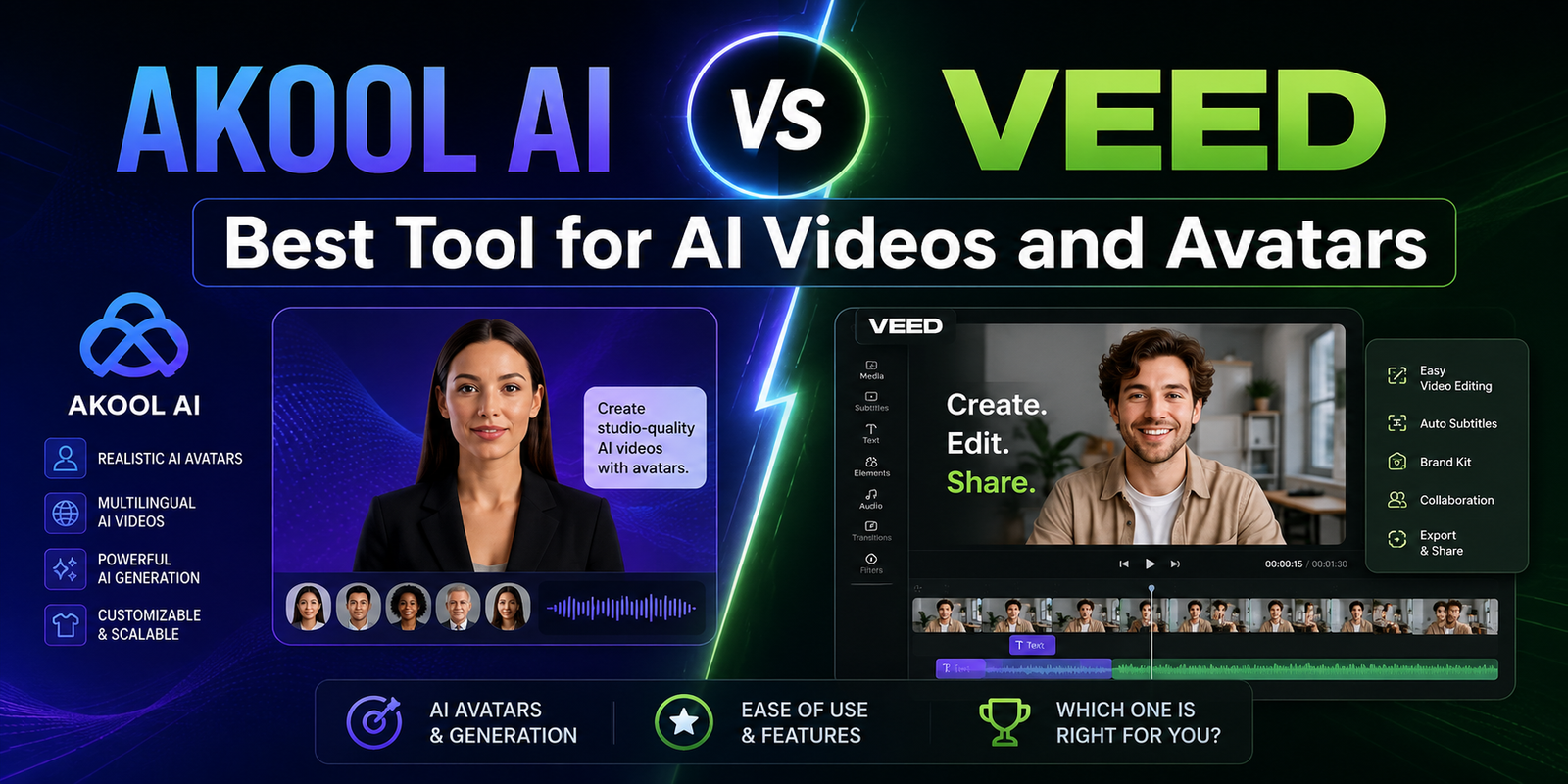
AKOOL AI vs VEED: Best Tool for AI Videos and Avatars in 2026
If you’ve typed “AKOOL AI vs VEED” into Google, you’re probably trying to avoid paying for the wrong subscription. That’s a smart instinct — these two tools look similar on the surface (both promise AI avatars, both run in a browser, both have a free plan) but they were built to solve two completely different problems.
This guide breaks down exactly where AKOOL and VEED overlap, where they don’t, what each one really costs in 2026 once you factor in their credit systems, and which one fits your specific use case — whether you’re an e-commerce seller, a solo content creator, a marketer running paid campaigns, or a business scaling video production across a team.
Quick answer: AKOOL is built first and foremost as an AI generation engine — its job is to manufacture avatars, clone voices, swap faces, and stream live digital humans. VEED is built first as a browser video editor, with AI avatars, dubbing, and text-to-video added on top of a strong editing core. If your starting point is a blank script and you need a synthetic presenter, AKOOL is the stronger choice. If your starting point is footage you already have and you want fast captions, cuts, and polish, VEED wins. Many teams use both: generate the avatar clip in AKOOL, then finish it in VEED.
What Is AKOOL AI?
AKOOL is a generative AI video suite built around digital humans. Instead of asking you to film anything, it asks for a script, a photo, or a short reference clip, and turns that into new footage — a talking avatar, a face-swapped video, an animated photo, or a dubbed clip with matching lip movement.
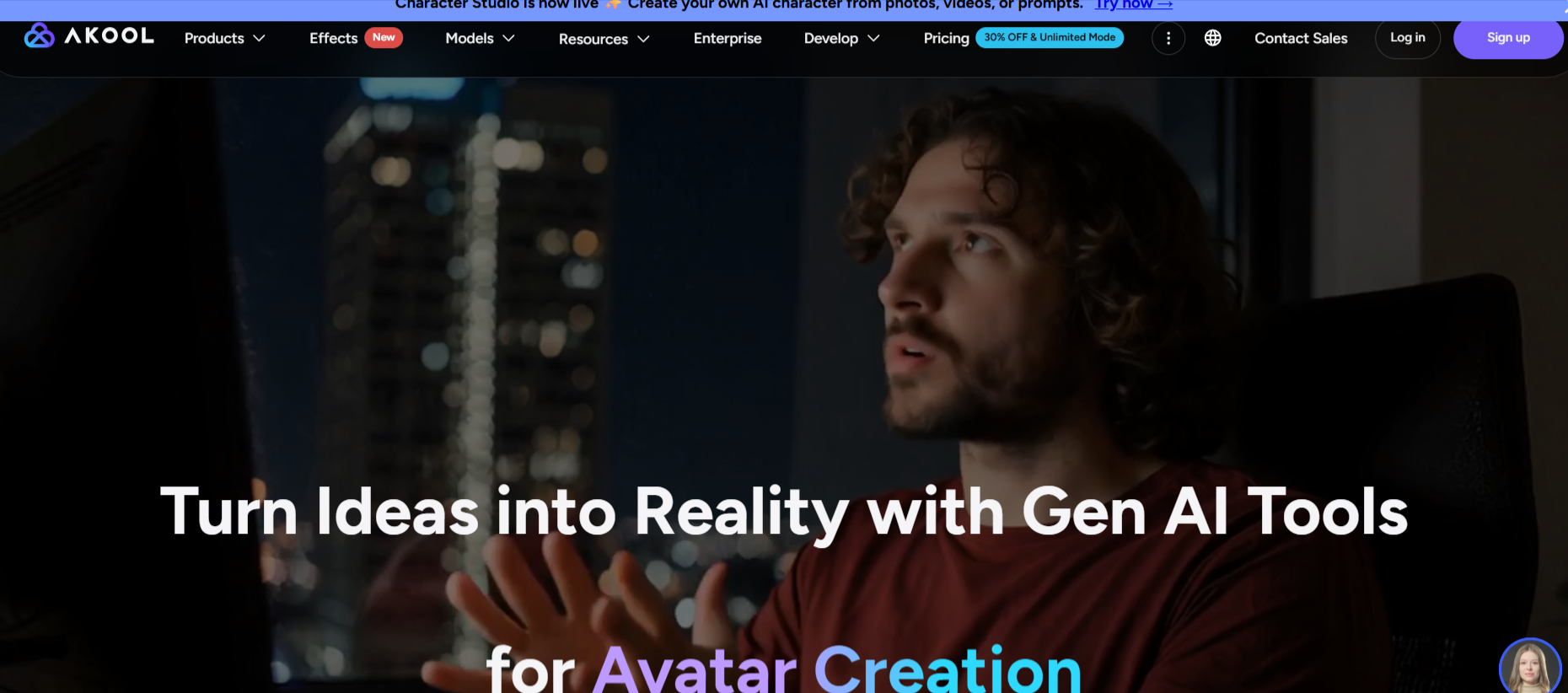
The platform is powered by diffusion-based models, and the company has leaned hard into avatar realism and resolution: outputs can go up to 4K on mid-tier plans and as high as 8K–16K on the top tiers. Beyond avatars, AKOOL’s toolbox includes face swap, character swap, video translation across 150+ languages, voice cloning, an e-commerce product-ad generator that builds creative directly from a TikTok or Amazon product link, and a real-time “Live Camera” mode that overlays an AI face or avatar onto your webcam during calls and streams. AKOOL also ships a REST API, so developers can plug avatar generation, face swap, or streaming avatars directly into their own apps.
In short: AKOOL exists to manufacture synthetic video. The basic editing tools are there, but they’re not the main attraction.
What Is VEED?
VEED started life as a browser-based video editor, and that DNA still shows. It’s where people go to trim, caption, clean up audio, resize for different platforms, and publish, all without installing software. Over time, VEED layered AI on top of that editing core: auto-subtitles in 100+ languages, AI avatars, a voice dubber, eye-contact correction, background noise removal, and an “AI Clips” feature that turns one long video into several short, shareable reels.
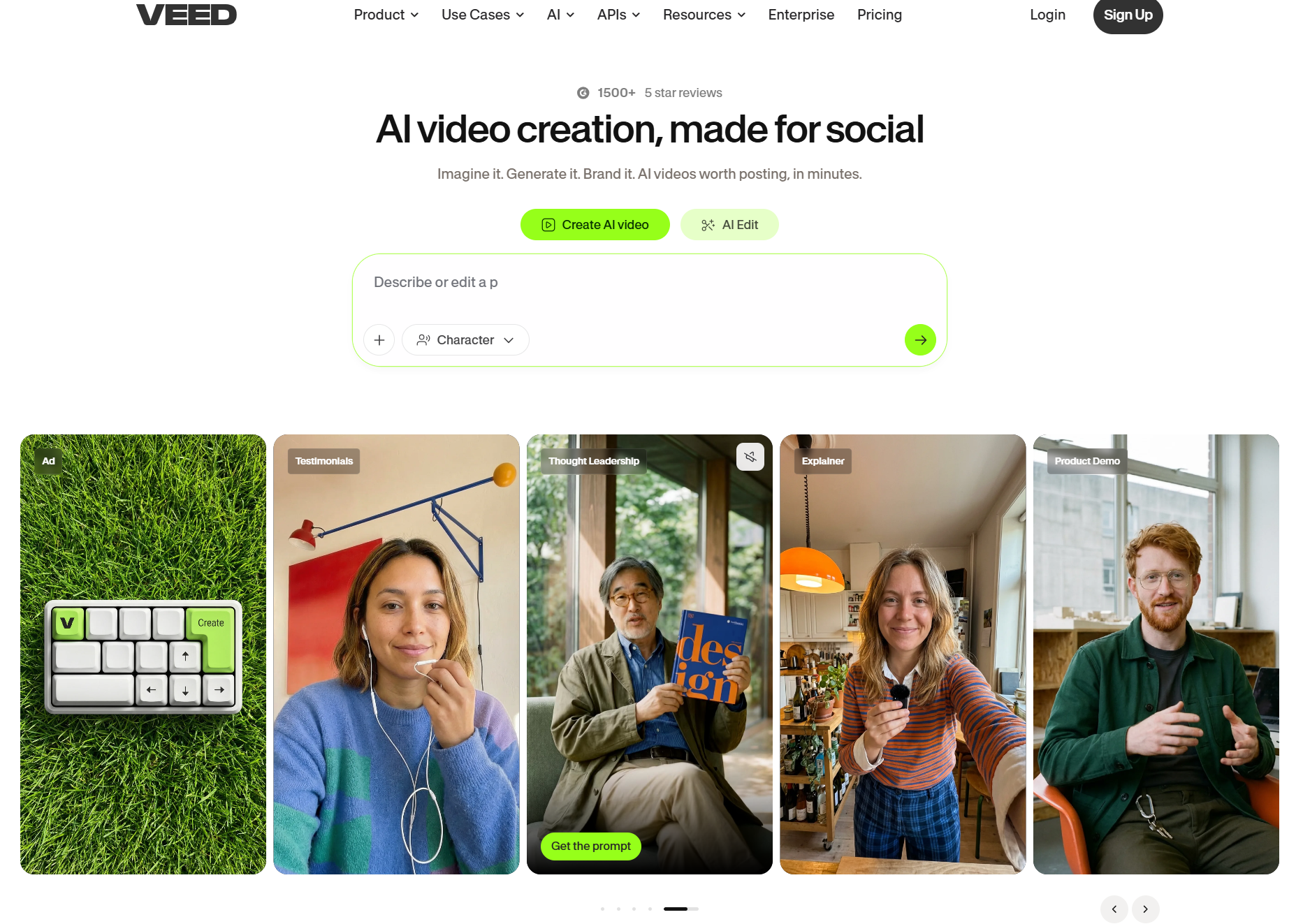
What makes VEED’s AI video generation distinct in 2026 is that it isn’t locked to a single model. Instead of relying only on its own engine (Fabric 1.0), VEED gives you access to multiple third-party generation models — including Google Veo, Kling, MiniMax/Hailuo, Seedance, PixVerse, and Luma Ray — inside the same interface, so you can pick whichever engine fits the shot you’re trying to create.
VEED’s own avatar library is smaller than AKOOL’s (around 60 stock characters), but you can also build a personal “digital clone” from a short recorded script, and reviewers consistently rate the lip-sync and voice quality as natural for an editor-first product.
In short: VEED exists to shape video you already have (or generate quickly), and it does that with one of the cleanest, most beginner-friendly interfaces in the category.
Also Read : Can AI Build an Entire Advertising Campaign Without Human Designers?
AKOOL vs VEED: Quick Comparison Table
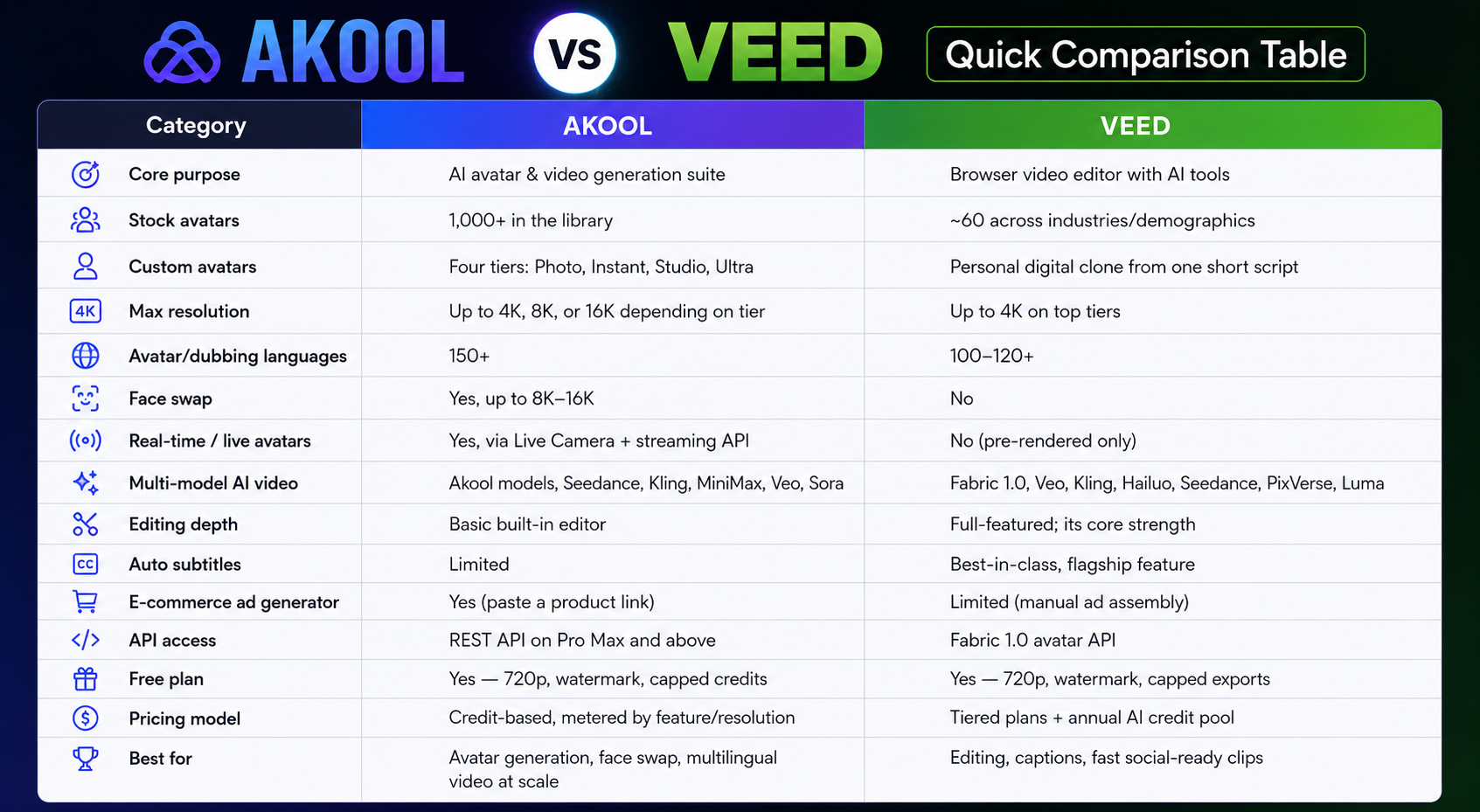
| Category | AKOOL | VEED |
|---|---|---|
| Core purpose | AI avatar & video generation suite | Browser video editor with AI tools |
| Stock avatars | 1,000+ in the library | ~60 across industries/demographics |
| Custom avatars | Four tiers: Photo, Instant, Studio, Ultra | Personal digital clone from one short script |
| Max resolution | Up to 4K, 8K, or 16K depending on tier | Up to 4K on top tiers |
| Avatar/dubbing languages | 150+ | 100–120+ |
| Face swap | Yes, up to 8K–16K | No |
| Real-time / live avatars | Yes, via Live Camera + streaming API | No (pre-rendered only) |
| Multi-model AI video | Akool models, Seedance, Kling, MiniMax, Veo, Sora | Fabric 1.0, Veo, Kling, Hailuo, Seedance, PixVerse, Luma |
| Editing depth | Basic built-in editor | Full-featured; its core strength |
| Auto subtitles | Limited | Best-in-class, flagship feature |
| E-commerce ad generator | Yes (paste a product link) | Limited (manual ad assembly) |
| API access | REST API on Pro Max and above | Fabric 1.0 avatar API |
| Free plan | Yes — 720p, watermark, capped credits | Yes — 720p, watermark, capped exports |
| Pricing model | Credit-based, metered by feature/resolution | Tiered plans + annual AI credit pool |
| Best for | Avatar generation, face swap, multilingual video at scale | Editing, captions, fast social-ready clips |
Feature-by-Feature Breakdown
1. AI Avatars and Digital Humans
This is the category most people are actually comparing when they search “AKOOL AI vs VEED,” and it’s also where the gap is widest. AKOOL ships a library of more than 1,000 stock avatars, plus four custom-avatar tiers that trade training time for fidelity: a quick Photo avatar (around 10 minutes), an Instant 4K avatar, a Studio avatar (about a day, higher fidelity), and an Ultra tier with human-in-the-loop tuning for gesture and emotion. Lip-sync is available in 150+ languages, paired with a cloned voice or one of 500+ preset character voices.
VEED’s avatar set is far smaller — roughly 60 stock characters spanning different industries and demographics — but the company makes up for size with simplicity: record one short script, and VEED builds a digital clone of you within a few hours. Reviewers consistently describe VEED’s avatars as natural-sounding with solid lip-sync, which is impressive for a tool that wasn’t originally built around avatars at all.
Verdict: If avatars are the actual product you’re buying, AKOOL gives you dramatically more depth, customization, and resolution. If an avatar is just an occasional accessory to footage you already edit, VEED’s smaller library is usually enough.
2. Face Swap and Personalization
AKOOL has a clear edge here because VEED simply doesn’t offer this feature. AKOOL’s face swap tool works on both images and video, supports output up to 8K–16K, and is positioned for use cases like personalized marketing creative, meme and social content, and entertainment-style campaigns. It’s also one of the features AKOOL’s own users cite most often when describing the platform as more “experimental” than corporate-only avatar tools.
3. Video Translation and Dubbing
Both tools translate and dub video, but AKOOL covers more ground: 150+ languages for translation and lip-sync dubbing versus VEED’s 100–120+ languages with its built-in voice dubber. If your workflow depends on localizing one master video into a dozen-plus languages with matched mouth movement, AKOOL’s broader coverage gives it the edge. For teams that mainly need accurate translated captions rather than re-spoken, lip-synced audio, VEED’s translation and subtitle tools are more than sufficient — and arguably faster to use.
4. Editing Tools and Workflow
This is VEED’s home turf. The timeline editor supports trimming, multi-track audio cleanup, background removal, eye-contact correction, brand kits, and one-click resizing for different platforms — all the things a creator or marketer needs to take a raw clip from “rough” to “publish-ready.” AKOOL’s built-in editor is functional but clearly secondary; it’s there to assemble what the AI engine generates, not to replace a dedicated editing workflow.
5. Real-Time and Live Avatars
AKOOL is alone in this category. Its Live Camera feature applies an AI face or full avatar in real time during video calls, livestreams, or recordings — it shows up as a normal camera source in Zoom, Google Meet, and Microsoft Teams. AKOOL also offers a streaming avatar API for building interactive, conversational digital humans, and the company has showcased the technology in live interactive avatar demos at industry events. VEED has no equivalent; every avatar and AI video output on VEED is pre-rendered, not live.
6. Ease of Use and Learning Curve
VEED is the more approachable platform for non-technical users. The drag-and-drop layout, no-install browser experience, and guided AI agent (which suggests actions like adding subtitles or fixing eye contact) make it quick to learn. The most common complaints in user reviews relate to performance — occasional lag or buffering on longer, heavier projects — and the fact that some of the most useful AI tools sit behind paid tiers.
AKOOL is also no-code, but there’s simply more surface area to learn, since avatar generation, face swap, translation, live streaming, voice cloning, and an e-commerce ad builder all live inside one suite. New users sometimes need a session or two just to find the right tool for the job.
Also Read : Best Social Media Advertising Services in 2026
Pricing Comparison (2026)
Both companies restructure pricing fairly often and third-party reviews don’t always agree on exact figures, so treat the numbers below as a current snapshot — always confirm live pricing on akool.com/pricing and veed.io/pricing before you buy.
How AKOOL’s Credit System Works
AKOOL doesn’t sell you “minutes” — it sells credits, and different actions burn credits at different rates depending on resolution and feature. As a rough guide, a face swap on an image costs around 4 credits, while generating 10 seconds of video typically costs somewhere between 5 and 10 credits depending on resolution and model. That means your monthly credit allowance translates into a different amount of usable video depending on what you’re actually making.
| Plan | Price (monthly / annual) | Credits | What you get |
|---|---|---|---|
| Basic (Free) | $0 | Limited trial credits | 720p, watermark, capped TTS/voice-clone/face-swap usage |
| Pro | ~$30/mo or ~$21–25/mo billed annually | ~600–2,400/mo | 4K, watermark removed, avatars unlocked |
| Pro Max | ~$119/mo or ~$83–95/mo billed annually | ~2,400–9,600/mo | 8K, API access, faster rendering, Studio voice |
| Business / Studio | ~$500/mo or ~$350/mo billed annually | ~12,000–80,000/mo | 16K, fine-tuned Studio Avatar, larger storage |
| Enterprise | Custom | Custom | Volume credits, dedicated support, SLAs |
Annual billing typically saves around 25–30%. One detail worth flagging: AKOOL charges per added team member at the same rate as the plan owner, so a 5-person team on Pro Max isn’t one subscription — it’s five.
How VEED’s Pricing Works
VEED uses a more familiar tiered-plan model, with an annual pool of AI credits attached to the paid tiers rather than per-action metering for every editing tool. Subtitles and translation are largely unlimited on paid plans; it’s AI video generation and avatars specifically that draw down your credit pool, and unused annual credits typically don’t roll over.
| Plan | Price (monthly / annual, per seat) | What you get |
|---|---|---|
| Free | $0 | 720p, watermark, ~10-minute exports, limited monthly subtitle minutes |
| Lite / Creator | ~$19–24/mo or ~$12–19/mo billed annually | 1080p, watermark removed, larger subtitle allowance, no avatars on the cheapest tier |
| Pro | ~$49–55/mo or ~$24–30/mo billed annually | AI avatars unlocked, full AI video generation across multiple models, more AI credits, translation |
| Studio / Business | ~$59+/mo or ~$35/mo billed annually | 4K export, larger credit pool, unlimited storage, team seats |
| Enterprise | Custom | SSO, governance, custom credit allowances, dedicated support |
Read this pricing chart carefully: VEED’s entry-level price looks friendlier than AKOOL’s, but the AI avatar feature most people are shopping for sits on the Pro tier and above, not the cheapest plan. AKOOL costs more once you’re past its free tier, but you’re paying for AI generation as the core product rather than a metered add-on bolted to an editor.
Which Is Cheaper Overall?
If all you need is captions, trimming, and light editing, VEED’s Lite plan is the cheaper route. If avatars or face swap are the actual deliverable, compare AKOOL Pro against VEED Pro directly — AKOOL’s Pro tier usually lands close to or slightly above VEED Pro in price, but ships a far larger avatar library and face-swap access that VEED doesn’t offer at any price.
Performance Analysis: Speed, Quality, and Rendering
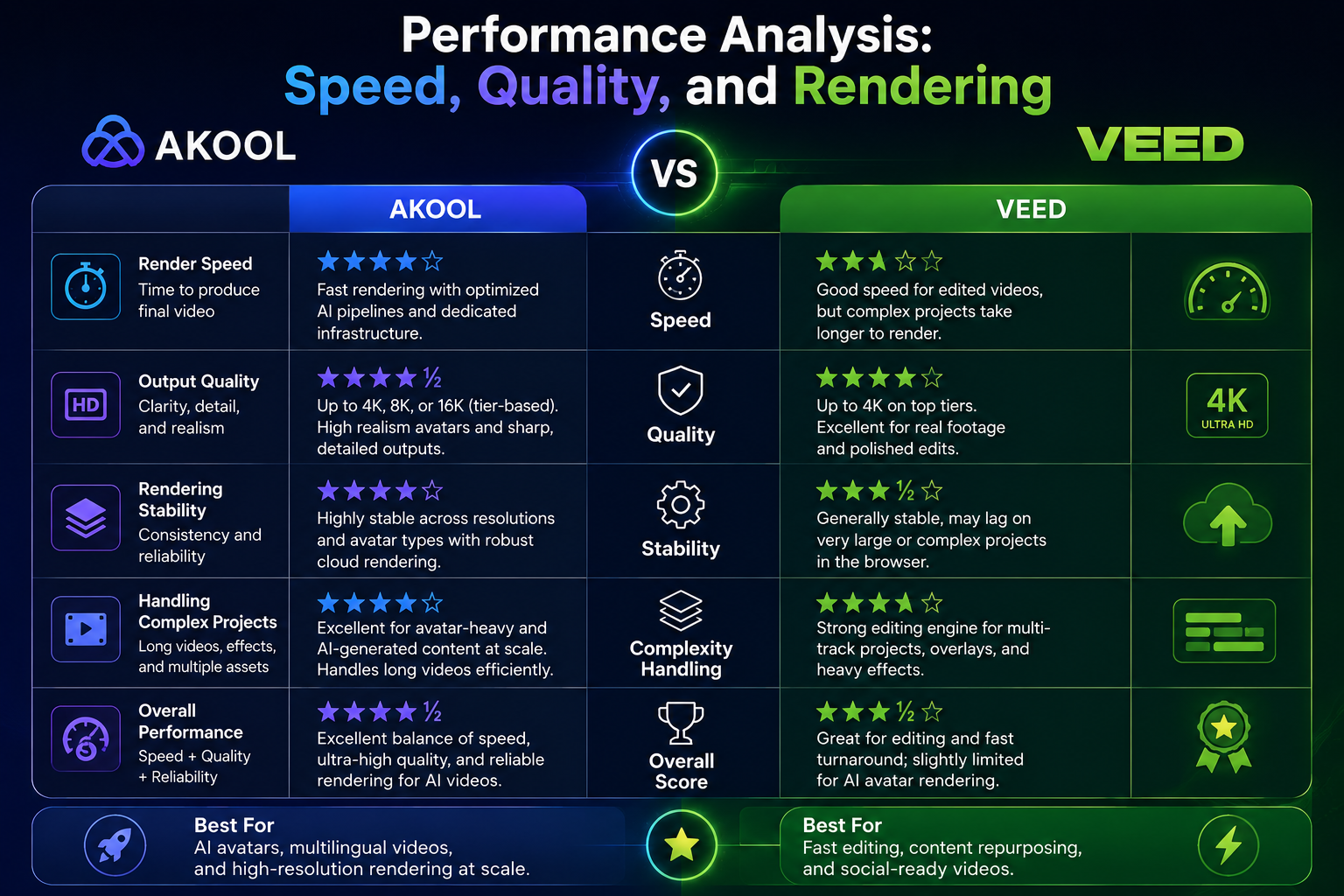
In hands-on testing and across user reviews, a few performance patterns show up consistently for both tools:
- Avatar realism: AKOOL’s avatars and lip-sync are frequently rated very highly for realism, especially on the Studio and Ultra custom tiers. VEED’s avatars look polished for an editor-first tool but are less detailed in expression and gesture range than AKOOL’s higher tiers.
- Rendering speed: AKOOL’s rendering time scales with resolution and workload — simple 1080p avatar clips render quickly, but 4K/8K renders and heavy batch jobs can slow down noticeably, especially on lower-tier plans. VEED is generally fast for short, simple edits but can lag or buffer on long, multi-track, or effects-heavy projects.
- Voice quality: Both platforms occasionally produce voiceovers that sound slightly flat or generic in longer, narrative-heavy scripts. Minor pacing and phrasing adjustments tend to fix most of this on either tool.
- Multilingual accuracy: AKOOL’s broader language count (150+) gives it an edge for global, multi-market video, while VEED’s subtitle and translation accuracy is regularly singled out as one of the most reliable in the category.
Pros and Cons
AKOOL: Pros
- Massive avatar library (1,000+) plus four levels of custom avatar training
- Face swap up to 8K–16K, with no equivalent on VEED
- Real-time Live Camera and a streaming avatar API for live, interactive digital humans
- 150+ languages for translation and dubbing
- Built-in e-commerce product-ad generator that works directly from a product URL
- Developer-friendly REST API on higher tiers
AKOOL: Cons
- Credit-based pricing makes monthly costs hard to predict
- Editing tools are basic compared to a dedicated editor
- Per-seat billing gets expensive fast for teams
- Voiceovers can sound slightly generic without manual tweaking
- Strict no-refund billing policy
VEED: Pros
- Best-in-class auto-subtitles and translation across 100+ languages
- Clean, beginner-friendly interface with no install required
- Access to multiple state-of-the-art AI video models (Veo, Kling, Seedance, and more) in one place
- Strong supporting AI tools: eye-contact correction, noise removal, AI Clips for repurposing long videos
- Lower entry-level price for basic editing needs
VEED: Cons
- Much smaller avatar library than AKOOL (~60 vs. 1,000+)
- No face swap and no real-time/live avatar streaming
- Core AI avatar feature is locked behind the Pro tier and above
- Can slow down or buffer on longer, more complex projects
- Per-seat pricing also scales up quickly for larger teams
Who Should Use AKOOL vs VEED? Use Cases by Audience
For eCommerce Sellers
If you’re running product ads on TikTok Shop, Amazon, or Meta, AKOOL’s product-ad generator is a genuine time-saver: paste a product link, and it pulls the details to build creative around it, optionally with an avatar or face-swapped presenter delivering the pitch. This is especially useful for testing multiple ad variations quickly. VEED fits in afterward — use it to trim those generated clips down to platform-specific lengths, add on-brand captions, and batch-export versions for different channels.
For Content Creators
Solo creators and small teams who already film their own content tend to get more daily value out of VEED: auto-subtitles, noise cleanup, eye-contact correction, and the AI Clips tool that slices a long video into shareable shorts. If you run a faceless or multilingual channel and don’t want to be on camera, AKOOL’s Talking Photo and Instant Avatar features let you turn a script (and even a single photo) into a presenter-led video in minutes, in multiple languages at once.
For Marketers and Ad Teams
Marketing teams running localized or personalized campaigns at volume benefit most from AKOOL’s combination of avatar variety, face swap, and 150+ language dubbing — useful for spinning up dozens of regional or personalized ad variants from one base script. For fast-turnaround social campaigns, brand-kit consistency, and quick captioning across many short videos, VEED’s editing-first workflow is usually the faster path from idea to published post.
For Businesses and Enterprises
Larger organizations exploring AI-driven training, internal communications, or customer-facing digital humans should look closely at AKOOL’s API and streaming avatar tools — they’re built for embedding avatar technology into products, internal tools, or live customer service experiences, not just for one-off marketing clips. VEED’s Enterprise tier, on the other hand, is geared toward content teams that need governance, SSO, brand control, and collaborative video production at scale rather than custom avatar infrastructure.
See Them in Action
A short demo usually clears up more confusion than a spec sheet. Here’s AKOOL’s real-time Live Camera feature in action, followed by a walkthrough of VEED’s AI avatar and video generation workflow.
<div style=”position:relative; padding-bottom:56.25%; height:0; overflow:hidden; max-width:100%; margin: 1.5rem 0;”> <iframe src=”https://www.youtube.com/embed/zdX5fWfBKks” title=”AKOOL Live Camera Demo” style=”position:absolute; top:0; left:0; width:100%; height:100%; border:0;” allowfullscreen></iframe> </div>
AKOOL Live Camera Demo — real-time AI avatars and translation on a live video feed.
<div style=”position:relative; padding-bottom:56.25%; height:0; overflow:hidden; max-width:100%; margin: 1.5rem 0;”> <iframe src=”https://www.youtube.com/embed/VJwfTwI2HV0″ title=”VEED.io AI Video Generation Tutorial” style=”position:absolute; top:0; left:0; width:100%; height:100%; border:0;” allowfullscreen></iframe> </div>
A walkthrough of VEED’s AI avatar and AI video generation tools inside its browser editor.
Best Alternatives to AKOOL and VEED
Neither tool is the only option in this space, and depending on your priorities, one of these might fit better:
- Synthesia — best for structured corporate training and bulk-personalized videos (CSV-driven personalization at scale).
- HeyGen — best for collaborative, multi-purpose video production with strong avatar realism and team workflows.
- Creatify AI — best for turning a product link into a scroll-stopping social ad in minutes, with tone-switching scripts.
- Canva — best if you already live inside Canva and want AI video generation (via Veo and Magic Media) bundled with design tools you already use.
- AI Studios — best for UGC-style avatar videos and “Product Avatar” content built specifically for TikTok and Instagram.
If AKOOL feels too generation-heavy for your needs, or VEED feels too editing-heavy, one of these five is worth a free trial before you commit to a subscription.
Can You Use AKOOL and VEED Together?
Yes — and for some workflows, this is actually the most efficient setup. Because the two tools are built for different jobs, a realistic pipeline can use each one for what it does best:
- Generate in AKOOL — create the avatar clip, face swap, or dubbed version where the generation engine is strongest.
- Refine in VEED — caption it, clean the audio, add B-roll and brand elements, and cut platform-specific versions.
- Publish everywhere — export the finished video for YouTube, TikTok, paid ads, training portals, or your website.
This combination lets you avoid paying for AKOOL’s editing tools (which are basic) or VEED’s avatar tier (which is smaller and pricier per feature) and instead pay each tool for its actual strength.
Frequently Asked Questions
1. Is AKOOL better than VEED for AI avatars? Yes, for avatar depth specifically. AKOOL offers 1,000+ stock avatars and four custom-avatar tiers, versus VEED’s roughly 60 stock avatars and one digital-clone option. If avatars are your main deliverable, AKOOL is the stronger pick.
2. Which is cheaper, AKOOL or VEED? It depends on your usage. VEED’s entry-level plan is cheaper for basic editing, but its AI avatar feature is locked behind a pricier Pro tier. AKOOL’s credit system can be unpredictable, but its Pro plan bundles avatar generation as a core feature rather than a paid add-on.
3. Does AKOOL have a free plan? Yes. AKOOL’s free “Basic” plan includes limited trial credits, 720p output, and a watermark, with capped access to features like voice cloning and face swap.
4. Does VEED have a free plan? Yes. VEED’s free plan offers 720p exports, a watermark, and limited monthly subtitle and editing usage — enough to test the interface before upgrading.
5. Which tool supports more languages for dubbing and translation? AKOOL supports 150+ languages for translation and lip-sync dubbing, slightly ahead of VEED’s 100–120+ language coverage for subtitles and dubbing.
6. Can I create live or real-time AI avatars with VEED? No. VEED’s avatars and AI video outputs are all pre-rendered. Real-time, live-camera avatar streaming is an AKOOL-only feature in this comparison.
7. Is AKOOL good for e-commerce product ads? Yes — AKOOL has a dedicated feature that builds ad creative directly from a TikTok or Amazon product link, which is a meaningful time-saver for performance marketers and online sellers.
8. Which tool is easier for beginners? VEED. Its drag-and-drop browser editor and guided AI agent make it faster to learn than AKOOL’s wider, generation-focused suite, which has more tools to navigate.
9. Does either tool offer an API for developers? Yes, both do. AKOOL offers a REST API on Pro Max and above covering avatars, face swap, and streaming avatars. VEED offers the Fabric 1.0 API specifically for avatar generation.
10. What’s a good alternative if neither AKOOL nor VEED fits my needs? Synthesia for structured corporate training, HeyGen for collaborative team production, Creatify AI for ad-focused video from product links, Canva if you want AI video bundled with design tools, and AI Studios for UGC-style social content.
Final Verdict
AKOOL and VEED both make AI video accessible without a camera crew or editing software install, but they’re answering different questions. AKOOL is the stronger choice specifically for AI avatars and synthetic video — a far larger avatar library, deeper customization, higher resolution ceilings, face swap, broader language coverage, and a real-time Live Camera mode that VEED simply doesn’t have. VEED is the stronger all-around browser editor, with class-leading auto-subtitles, an easier learning curve, a friendlier entry price, and avatars that are good enough for lighter needs.
The decision really comes down to your starting material and your end goal. If you’re generating talking, multilingual, or live avatar video as the main deliverable, choose AKOOL. If you’re editing footage you already have, with AI assists and avatars as a nice extra, choose VEED. And if your budget allows it, running both — AKOOL to create, VEED to refine — gives you the best of each without forcing either tool to do a job it wasn’t built for.