
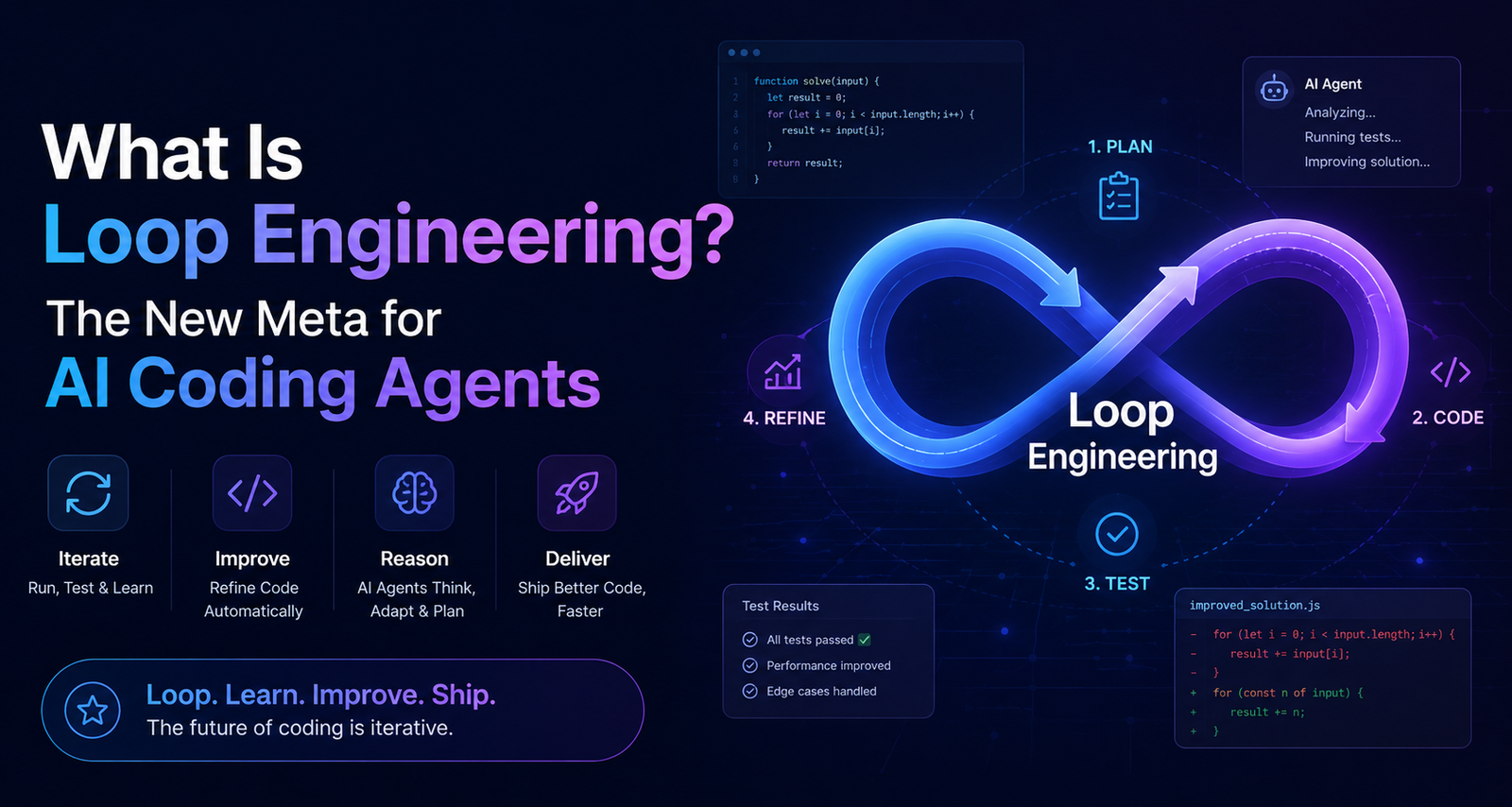
What Is Loop Engineering? The New Meta for AI Coding Agents
For the better part of two years, working with an AI coding assistant meant one repeating ritual: write a prompt, read the output, decide what’s wrong, write the next prompt. You were the steering wheel. Every improvement in the output depended on how well you phrased the next instruction.
In June 2026, that ritual got a name for what comes after it — loop engineering.
Loop engineering is the practice of designing an automated system that prompts, monitors, and corrects an AI coding agent on your behalf, instead of you typing each instruction by hand. Rather than holding a conversation with the model turn by turn, you build a small machine around it: a defined goal, a way for the agent to act, a way to check whether the action actually worked, and rules for when to stop, retry, or call in a human.
The phrase moved fast. It was popularized by Google engineer Addy Osmani, who was echoing two practitioners already living it: Peter Steinberger (creator of OpenClaw) and Boris Cherny, who leads Claude Code at Anthropic. Cherny put it bluntly: he no longer prompts Claude directly — he writes loops that prompt Claude for him.
This article breaks down what loop engineering actually means, where it sits relative to prompt and context engineering, what a loop is built from, how today’s tools implement it, and — just as importantly — where it can quietly go wrong.
A quick flag before we go further: this is a fast-moving, recently-coined term. The core idea is solid and grounded in established agent-design patterns, but the vocabulary, best practices, and tooling are still being worked out in public in real time. Treat anything labeled “best practice” here as “best practice as of mid-2026,” not gospel.
Also Read : My Top 10 AI Workflow Automation Tools for Business Growth in 2026
Where the Term Came From
The shift had been building quietly for a while, but it crystallized in public within about a week in June 2026.
Peter Steinberger posted a short, blunt statement that spread widely: developers should stop prompting coding agents by hand and start designing the loops that prompt the agents instead. Days earlier, Boris Cherny had said something similar on stage — that his actual job had shifted from prompting Claude to writing the loops that prompt Claude and decide what happens next.

Addy Osmani picked up the thread and gave it structure, framing it as a distinct skill from prompt engineering: a loop is a recursive goal. You define a purpose, and the agent iterates — acting, checking, adjusting — until that purpose is met or it hands control back to a human.
Within days, the term had its own GitHub tooling, multiple technical explainers, and a healthy dose of pushback from skeptics who pointed out that “a scheduled task plus a decision-maker” isn’t exactly a new invention. Both things are true: the underlying mechanics (cron jobs, retry logic, feedback loops) aren’t new. What’s new is that the major coding agents started shipping this capability as a built-in feature rather than something you duct-taped together yourself.
A Short Lineage Timeline
It helps to see loop engineering as the latest stop on a longer road, not a sudden invention:
- 2021–2023 — Autocomplete era: Tools like early GitHub Copilot suggested the next line or function. The human wrote, reviewed, and accepted every suggestion individually.
- 2023–2024 — Chat era: Inline chat assistants let you ask a question and get a code snippet back. Still one-shot — you copied the answer out and tested it yourself.
- 2024–2025 — Agent era: Tools like Claude Code, Devin, and early Codex agents could read a codebase, write code, run it, and fix errors across a single task — but a human was still kicking off and steering each task.
- 2026 — Loop era: Agents now run on triggers (a schedule, a new GitHub issue, a failed CI build) without a human starting each run. The developer’s job moves from “prompt the agent” to “design the system that prompts the agent.”
Prompt Engineering → Context Engineering → Harness Engineering → Loop Engineering
Loop engineering didn’t appear out of nowhere — it’s the fourth layer in a progression, and understanding the earlier layers makes the new one easier to place.
Prompt engineering is about the words you type into a single instruction. Better phrasing, better examples, clearer constraints — all aimed at getting a better answer out of one request.
Context engineering is about what the model can see when it answers — which files, which documentation, which prior conversation history get fed in, and how that information is trimmed, ranked, and formatted so the model isn’t drowning in irrelevant noise.
Harness engineering is about the environment a single agent run operates inside — its tools, its permissions, the sandbox it executes code in, and the rules that govern what it’s allowed to touch during one task.
Loop engineering sits a level above all three. It’s about the system that decides when to start an agent run, what goal to hand it, whether the result actually counts as done, and what happens next — repeated automatically, often without a human present for any single cycle.
Put simply: prompt engineering shapes a sentence. Context engineering shapes what the model can see. Harness engineering shapes what one agent run can do. Loop engineering shapes the system that keeps the whole cycle running correctly over time.
Also Read : Hybrid Cloud in 2026: Trends, Pricing, Pros & Cons, and How to Choose the Right Strategy
The Anatomy of a Loop
Strip away the branding, and nearly every agent loop being discussed right now reduces to the same five-part structure, tracing back to the older ReAct pattern (reason, act, observe, repeat) from earlier agent research:
| Component | What it does |
|---|---|
| Goal | A single, objectively checkable definition of “done” — set before the loop starts. (“All tests pass,” not “improve the code.”) |
| Trigger / Prompter | Decides when the loop runs and generates the next instruction for the agent — a schedule, a new ticket, a failed build. |
| Agent Action | The coding agent actually does the work: reads files, writes code, runs commands. |
| Reader | Captures and parses what happened — the diff, the test output, the error log. |
| Verifier | An independent check on whether the goal was actually met. Critically, this is not the same process that did the work — a separate “checker” catches cases where the agent simply declares itself finished without proof. |
| Controller | Decides what happens next: stop, retry with corrected context, escalate to a human, or move to the next task. |
The verifier is the piece nearly every practitioner singles out as non-negotiable. An agent that grades its own homework will, sooner or later, mark broken work as “done.” Splitting the worker from the checker — sometimes called a maker-checker pattern — is what makes an unattended loop trustworthy enough to leave running overnight.
Errors inside the loop also need to be sorted, not just retried blindly. A loop that hits the same error and tries the exact same fix repeatedly isn’t adapting — it’s spinning in place, burning tokens for nothing. A well-designed loop distinguishes a recoverable issue (a missing import, a typo) from a hard blocker (missing credentials, an undefined requirement) and routes the second kind straight to a human instead of looping forever.
How This Looks in Real Tools Today
A year ago, building a loop meant writing your own bash scripts and maintaining them yourself. By mid-2026, the major coding agents started shipping loop infrastructure as a built-in feature rather than a DIY project.
- Claude Code added a native
/loop-style capability that runs across turns until a condition you define evaluates as true, using a separate, faster model to grade whether that condition is actually met — keeping the “verifier” role distinct from the agent doing the work. It also supports background/scheduled runs and isolated worktrees, so multiple agents can work on different parts of a codebase in parallel without overwriting each other’s changes. - OpenAI’s Codex agent supports comparable goal-driven, multi-turn runs that keep working across a task until a stopping condition is satisfied, rather than ending after a single response.
- Scheduling layers — cron, GitHub Actions, or a tool’s built-in background mode — handle the “when does this run” question, firing the loop on a timer or in response to an event like a new pull request or a failed CI job.
- Skills and project-context files (such as a CLAUDE.md or AGENTS.md style file) give a loop the standing rules and conventions it needs to make sane decisions without a human re-explaining the project every single run.
- MCP (Model Context Protocol) connectors let a loop reach beyond the codebase itself — into GitHub, Slack, ticketing systems, or a database — so the loop can both find work and report back on it.
A representative everyday loop, gathered from how practitioners describe their own setups: every morning, an agent wakes up, pulls the open issue list, triages anything unassigned, drafts an initial fix or plan, runs it past the verifier, and opens a pull request only for changes that pass. A human reviews the results over coffee instead of typing each instruction.
Prompt Engineering vs. Loop Engineering
| Prompt Engineering | Loop Engineering | |
|---|---|---|
| Unit of work | A single instruction | A repeating cycle of instructions |
| Who decides the next step | The human, every time | A controller/verifier system |
| Time horizon | Seconds to minutes, one sitting | Minutes to hours, can run unattended |
| Skill being optimized | Clarity of language | Design of the goal, verification, and stopping logic |
| Failure mode | A bad answer you immediately notice | A bad outcome that ships before anyone notices |
| Where developer leverage lives | In how well you phrase things | In how well you architect the system around the model |
One important nuance: loop engineering doesn’t replace prompt engineering — it changes who’s doing it. A loop still needs well-written instructions at each step; it’s just the loop’s controller writing them now instead of a person typing them fresh every time.
Risks and Failure Modes
Several risks get sharper, not easier, as a loop gets more capable — which is the opposite of what the marketing pitch implies.
- Unattended mistakes. A loop running without supervision is also a loop capable of making mistakes without supervision. Without a genuinely independent verifier, an agent can declare a task “done” when it isn’t — and “done” stays a claim, not a proof, even with a verifier in place.
- Comprehension debt. The faster a loop ships code nobody on the team actually read line by line, the wider the gap grows between what’s in the repository and what the team actually understands. A smooth, fast loop accelerates this gap unless someone deliberately reviews what came out of it.
- Token cost blowouts. Sub-agents, retries, and long-running loops can burn through API usage quickly and unpredictably, especially without a hard iteration cap or budget ceiling set in advance.
- Cognitive surrender. When a loop runs itself reliably, it becomes tempting to stop forming opinions about the work and just accept whatever comes back. This is the same loop, used two different ways, producing opposite outcomes depending entirely on the human’s judgment — the loop itself can’t tell the difference.
- Security exposure. A loop with access to real infrastructure — production databases, deployment pipelines, customer systems — needs permissioning, audit logging, and human approval gates before it’s allowed to act unattended, not after something goes wrong.
The throughline across nearly every serious writeup on this topic is the same: a loop changes the nature of the work, but it doesn’t remove the human from being responsible for the outcome.
How to Start Designing Your Own Loop
If you want to try this without rebuilding your workflow from scratch:
- Write the goal as a single, checkable sentence. Not “improve the code” — “all tests pass” or “the linter returns zero errors.”
- Build the verifier before you build anything else. This is the step most people skip, and it’s the one that prevents silent failures down the line.
- Set a hard cap on iterations and token spend, with a defined fallback that escalates to a human instead of looping indefinitely.
- Start on a low-stakes task. Let a loop triage stale issues or run a nightly lint pass before trusting it anywhere near production code.
- Turn anything you do more than once into a reusable skill or script that the loop can call, instead of re-deriving the same steps from scratch every run.
- Review what shipped. Schedule deliberate time to read what the loop produced — not just whether it passed, but what it actually did.
Who Actually Uses This
Solo developers get the most immediately visible win: a loop that triages your own backlog overnight, drafts fixes for small issues, and leaves you a queue of pre-reviewed pull requests by morning instead of a blank prompt box.
Engineering teams use loops to handle the unglamorous, repetitive maintenance work — dependency bumps, flaky test investigation, CI failure triage — that otherwise eats senior engineers’ time in small, constant interruptions.
AI/ML platform builders are embedding loop patterns directly into their products, offering goal-driven automation and visual workflow builders so customers get loop-like behavior — scheduled runs, branching logic, conditional exits — without writing the orchestration code themselves.
Non-coding agentic workflows are starting to borrow the same architecture: customer support triage, content moderation queues, and research summarization pipelines all fit the same goal → act → verify → repeat shape, even outside of software development.
Frequently Asked Questions
Is loop engineering a real job title? Not yet, in any standardized sense. As of mid-2026 it’s an emerging skill and a way of describing a shift in responsibility — toward system design and away from manual prompting — rather than an HR-recognized title. Expect the terminology to keep evolving over the next year.
Does loop engineering replace prompt engineering? No. A loop still relies on well-written instructions at every step; it just shifts who’s writing them, from a human typing in real time to a controller generating them automatically based on the loop’s state.
What tools support loop engineering today? Claude Code and OpenAI’s Codex agent both now ship native goal-driven, multi-turn execution with scheduling and background run support. Beyond that, teams are also assembling loops manually using cron or CI pipelines, MCP connectors, and custom verification scripts.
Is this just a scheduled script with extra branding? Partially fair criticism, and one the community itself raised. The scheduling layer genuinely is old technology. What’s new is the decision-making layer wrapped around it — the goal definition, independent verification, and controller logic that make the loop adapt instead of just repeat.
Do I need a loop for every coding task? No. Most everyday coding still happens fine with direct prompting. Loops earn their complexity on repetitive, well-defined, and verifiable tasks — not on ambiguous, judgment-heavy work that still benefits from a human in the loop on every turn.
What’s the biggest risk of getting this wrong? Treating “done” as proven when it’s only claimed. Skipping an independent verifier is the single most common way a loop goes from useful automation to a source of silent, accumulating problems.
Final Verdict
Loop engineering is a genuinely useful way of describing something real: as coding agents get more capable, the most valuable skill shifts from phrasing the perfect instruction to designing the system that decides what to ask for, checks whether the answer is actually correct, and knows when to stop. That shift is worth paying attention to, and the major agent tools are clearly building toward it.
What it isn’t, at least not yet, is a settled discipline with agreed-upon standards. The term is barely weeks old as of this writing, the tooling is still consolidating, and plenty of practitioners are still arguing about where the lines between context engineering, harness engineering, and loop engineering actually sit. Treat the core idea — goal, action, independent verification, controlled stopping — as the durable part. Treat the specific commands, products, and best practices as things that will keep changing for a while yet.
If you take away one thing: a loop is a tool that amplifies whatever judgment you bring to it. Used by someone who understands the codebase deeply, it compounds their output. Used to avoid understanding the codebase at all, it compounds the risk instead. The loop can’t tell the difference between the two. That’s still your job.