
My Top 10 AI Workflow Automation Tools for Business Growth in 2026
Every business now runs on dozens of disconnected apps — a CRM, an inbox, a spreadsheet, a Slack channel, a content calendar — and somebody on the team is still the human glue holding it all together. That’s the gap AI workflow automation tools were built to close.
Unlike the “if this, then that” automation of the 2010s, today’s AI workflow automation tools don’t just move data between apps. They reason about it. They read an email and decide what to do next. They summarize a call, score a lead, or rewrite a product description — all without a human clicking through five different tabs.
We spent weeks digging through pricing pages, documentation, and verified user reviews (G2, Capterra, and vendor changelogs) to build this guide. Below, you’ll find the 10 best AI workflow automation tools for 2026, an honest breakdown of pricing and credit systems, a side-by-side comparison table, and use-case guidance for marketers, content creators, eCommerce sellers, and growing businesses.
What Is an AI Workflow Automation Tool?
An AI workflow automation tool connects the software you already use — Gmail, Slack, HubSpot, Notion, Shopify, Google Sheets — and layers a large language model (LLM) on top of that connection. Instead of simply forwarding data from Point A to Point B, the platform can read, interpret, summarize, classify, or generate content as part of the workflow.

Think of it this way: classic automation software moves a package from one conveyor belt to another. AI workflow automation opens the package, decides what’s inside, and routes it accordingly — then writes a note explaining why.
Most platforms in this category give you a visual, drag-and-drop canvas, so you don’t need to write code. You connect your apps, describe what you want in plain English, and the platform (or its built-in AI assistant) builds the logic for you.
Also Read : What Is Team Management and How It Works
Real Examples of AI Workflow Automation in Action
- A support inbox automatically triages incoming tickets by urgency and drafts a first-pass reply for agents to approve
- A sales workflow scrapes new leads, enriches them with company data, and writes a personalized first-touch email
- A content workflow turns a single long-form video into a blog post, three social captions, and an email newsletter blurb
- A finance workflow reads incoming invoices, extracts the line items, and pushes them straight into accounting software
- An operations workflow watches a shared inbox and pings the right Slack channel only when a message matches certain intent
None of these require a developer. They require the right platform and about 20 minutes of setup.
AI Workflow Automation vs. Traditional Automation: What Actually Changed
Workflow automation itself isn’t new — tools that move data between apps based on fixed rules have existed for over a decade. What’s changed is the decision-making layer.
Traditional automation needs explicit rules: “if the subject line contains ‘refund,’ move it to this folder.” AI-powered workflows can handle ambiguity: “read this email, figure out what the customer actually wants, and route it to the right team — even if they never use the word ‘refund.'”
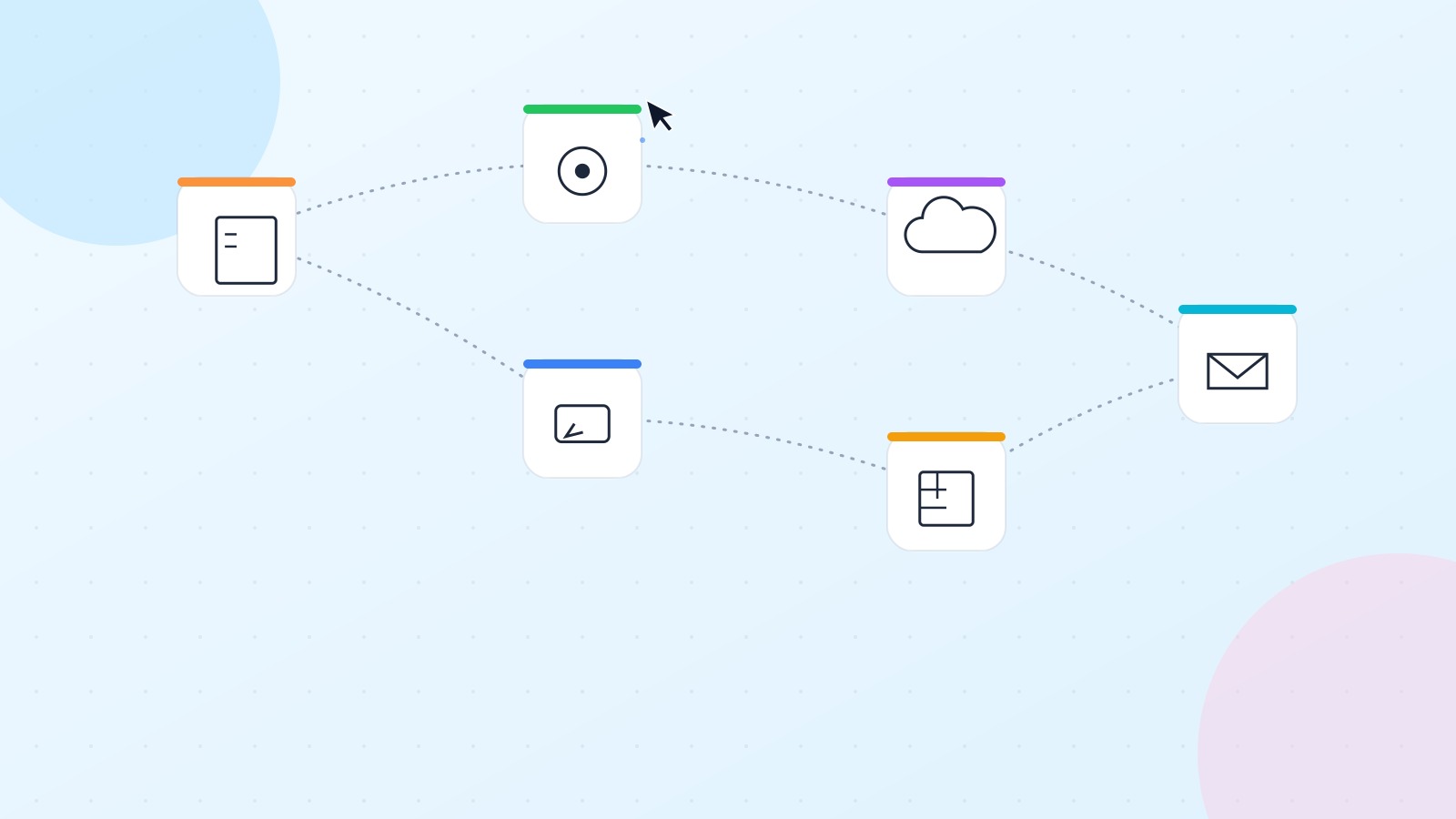
This matters because LLMs are far less prone to making things up when they’re working from real data your tools feed them, rather than generating answers from scratch. A workflow that asks an AI model to summarize an actual support ticket is much more reliable than asking a chatbot to “explain refund policies” with no source material. The data does the heavy lifting the AI just interprets it.
How We Evaluated These Tools
We compared each platform on five criteria that actually predict whether a tool will earn its place in your stack:
- Ease of use — Can a non-technical team member build something useful in their first session?
- AI-native depth — Is AI a first-class citizen, or a bolted-on add-on?
- Integration breadth — How many apps and triggers does it genuinely support?
- Pricing transparency — Is the credit/task/operation system easy to predict, or does it hide surprise costs?
- Scalability — Does it hold up for a 10-person team the same way it does for a solo freelancer?
Pricing and credit systems shift often in this space, so treat the figures below as accurate at the time of writing and always double-check the vendor’s pricing page before purchasing.
Quick Comparison: Best AI Workflow Automation Tools at a Glance
| Tool | Best For | Starting Price | Free Plan | Coding Required |
|---|---|---|---|---|
| Gumloop | AI-native automation for teams and solo builders | $37/mo | Yes (5,000 credits/mo) | No |
| Zapier | Largest app library, maximum reliability | $29.99/mo | Yes (100 tasks/mo) | No |
| n8n | Technical teams who want self-hosted control | Free (self-hosted) / $24/mo (cloud) | Yes (self-host only) | Optional |
| Make | Budget-conscious builders and indie operators | ~$10–11/mo | Yes (1,000 ops/mo) | No |
| Relay.app | Simple workflows with human-approval steps | ~$19/mo | Yes (limited) | No |
| Pipedream | Developers building API-heavy or agentic workflows | $29/mo | Yes (100 credits/day) | Optional |
| Lindy AI | AI “employees” for sales and support ops | $49.99/mo | No (7-day trial only) | No |
| Vellum AI | Enterprise AI pipeline development | Custom | No | Yes |
| StackAI | Regulated industries (health, finance, gov) | Custom (free tier exists) | Yes (500 runs/mo) | No |
| Workato | Large-scale enterprise integration | Custom | No | No |
The 10 Best AI Workflow Automation Tools in 2026
1. Gumloop — Best Overall AI-Native Workflow Builder
Gumloop is built around a single idea: every node on its visual canvas can be powered by AI, not just the trigger or the final step. That makes it feel less like a connector tool with AI bolted on and more like a true AI workflow platform.
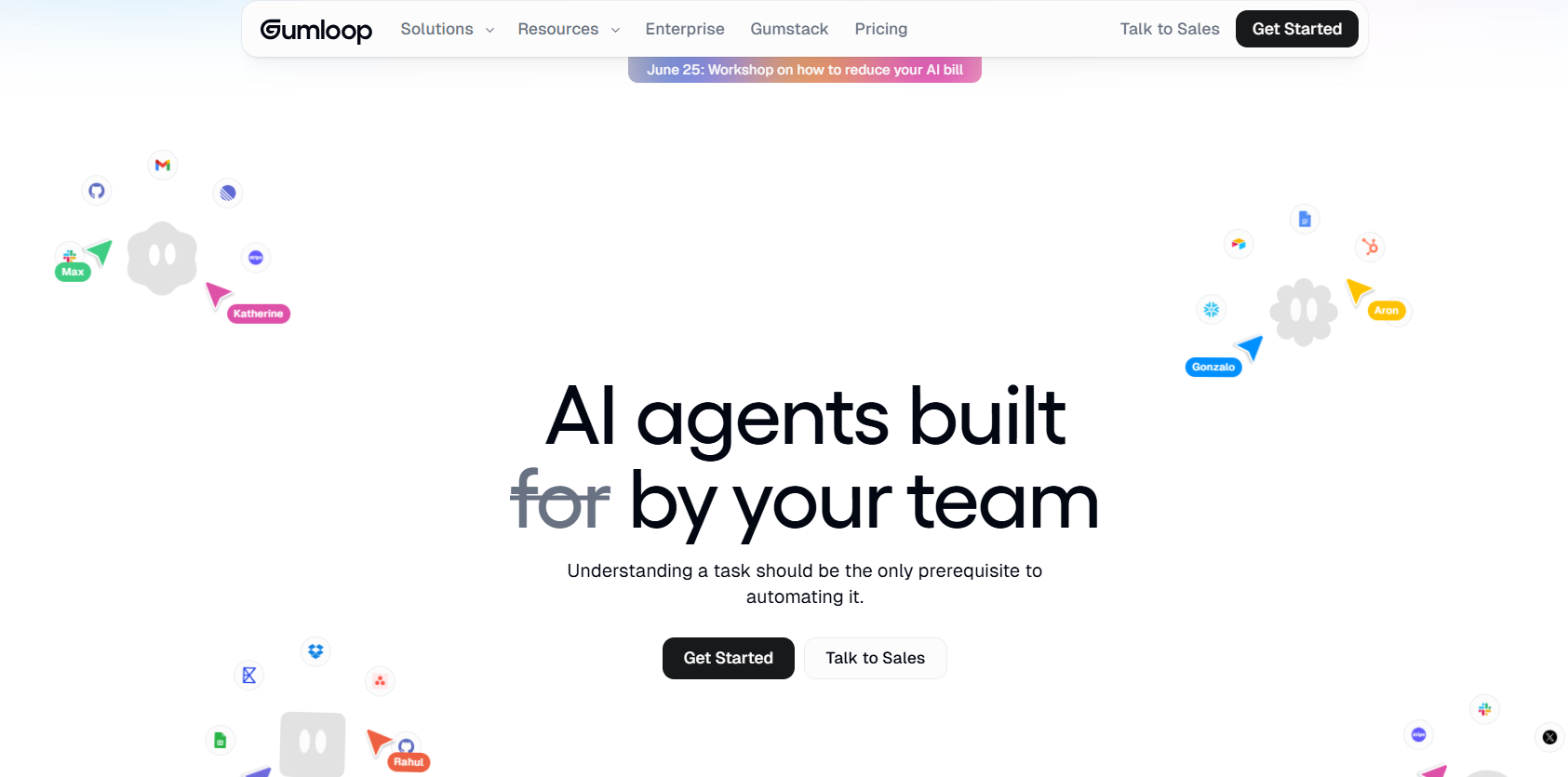
The standout feature is “Gummie,” Gumloop’s built-in AI assistant, which can build an entire automation for you from a plain-language description — genuinely useful if you’ve never opened a workflow builder before. Gumloop also bundles LLM access directly into your subscription, so you’re not forced to manage separate OpenAI, Anthropic, or Google API keys (though you can bring your own to cut costs).
Key features:
- Visual drag-and-drop canvas with branching logic and loops
- Built-in access to GPT, Claude, and Gemini models — no separate API billing required
- Gummie AI assistant for natural-language workflow building
- Hosted MCP server support, plus “Gumstack” for enterprise observability and access controls
- Active community Slack and template library
Pricing and credits: Gumloop uses a credit-based system. The Free plan includes around 5,000 credits a month with one seat and limited concurrent runs. Pro starts at $37/month (lower with annual billing) and unlocks 20,000+ credits, unlimited seats, and higher concurrency. Enterprise is custom and adds role-based access control, SSO/SAML, audit logs, and the Gumstack security layer. Simple actions cost 1–3 credits; advanced AI reasoning steps can run 20–30+ credits each, and enrichment-heavy workflows (like scraping and verifying 100 contacts) can burn through several thousand credits in a single run — worth testing on the free tier before committing to volume.
Pros: Genuinely AI-native rather than AI-as-an-afterthought; fast learning curve for non-technical users; generous free tier for experimentation; strong error handling.
Cons: Smaller integration catalog than Zapier or Make; support can be slower during high-growth periods; AI-heavy or enrichment-heavy workflows can consume credits faster than expected.
Best for: Teams that want AI reasoning baked into every step of a workflow, not just at the edges — especially marketing, ops, and customer-support teams without a dedicated developer.
Also Read : Trends, Pricing, Pros & Cons, and How to Choose the Right Strategy
2. Zapier — Best for Integration Breadth and Reliability
Zapier remains the default choice for businesses that prioritize “it just works” over cutting-edge AI features. With thousands of supported apps, it’s still the platform most likely to already connect to whatever obscure tool your business runs on.
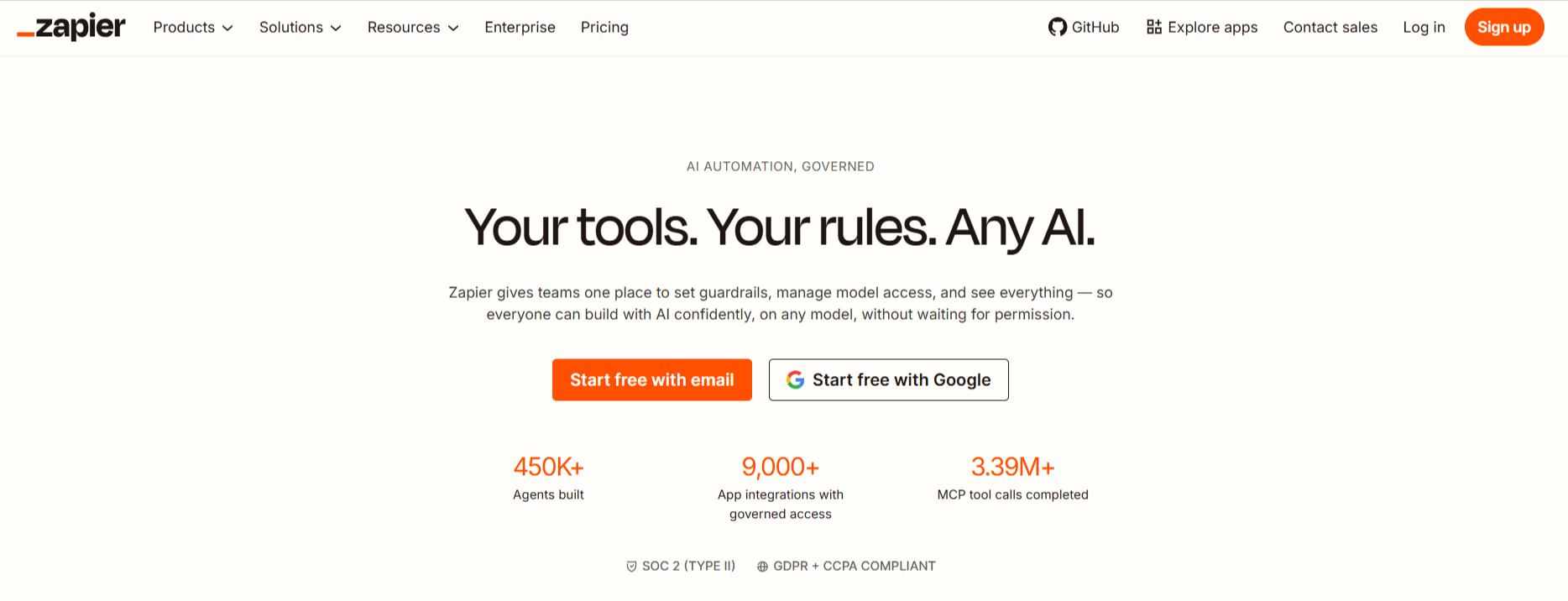
Zapier has spent the last two years retrofitting AI into its existing infrastructure — Zapier Agents, Copilot for building Zaps, and AI-powered steps inside the visual builder. The result is solid, but it can feel like AI was added to an existing system rather than designed in from day one.
Key features:
- Thousands of native app integrations and pre-built templates
- Zapier Tables (built-in data storage) and Interfaces (forms/apps) bundled into plans
- Zapier Copilot for building and troubleshooting Zaps via chat
- Zapier MCP for connecting AI agents to your existing tools
Pricing: Free plan includes 100 tasks/month and single-step Zaps. Professional starts at $29.99/month (or roughly $19.99/month billed annually) for 750 tasks and multi-step Zaps. Team runs about $103.50/month (around $69/month annually) with a few thousand tasks and shared workspaces. Enterprise is custom, with annual task allowances instead of monthly resets. Note that Zapier counts every action in a workflow as a separate task — a five-step Zap consumes five tasks per run, which can make costs climb quickly at scale.
Pros: Unmatched integration count; mature, stable platform with a long track record; easiest learning curve for absolute beginners.
Cons: Task-based pricing gets expensive fast for complex, multi-step workflows; AI features still feel secondary to the core automation engine; free tier shrank significantly compared to a few years ago.
Best for: Businesses that need to connect a long tail of niche or legacy software and value dependability over the newest AI capability.
Also Read : 19 Billion Compromised Passwords: What Actually Happened, Who’s at Risk, and How to Fix It
3. n8n — Best for Technical Teams and Self-Hosting
n8n occupies a unique spot on this list: it’s the only major platform offering a genuinely free, self-hosted version with no execution limits. If your team is comfortable with a little DevOps work, you can run n8n on a $5–7/month server and never think about per-task pricing again.
n8n bills by “execution” rather than by step — one workflow run, no matter how many nodes it contains, counts as a single execution. For complex, branching automations, that pricing model is dramatically cheaper than step-based competitors.
Key features:
- Free, open-source Community Edition for self-hosting with unlimited executions
- 400+ native integrations plus an HTTP node for connecting to virtually any API
- Native AI nodes for Claude, Gemini, and vector databases like Pinecone and Qdrant
- Thousands of community-built workflow templates
- JavaScript and Python code nodes for custom logic
Pricing: Self-hosted Community Edition is free forever. n8n Cloud Starter runs about $24/month for 2,500 executions; Cloud Pro is about $60/month for 10,000 executions. A self-hosted Business tier (around $800/month, with a 50% startup discount for companies under 20 employees) adds 40,000 executions, SSO/SAML, and Git-based version control. Enterprise is fully custom. Watch out for polling triggers — a workflow checking an inbox every five minutes can burn through a Starter plan’s execution limit in about a week.
Pros: Free self-hosting with zero usage caps; execution-based billing is far cheaper than per-task pricing for complex workflows; deep customization via code nodes; strong open-source community.
Cons: You need to supply your own LLM API keys; steeper learning curve than Zapier or Gumloop; cloud plans have no permanent free tier (only a trial).
Best for: Developers, technical founders, and agencies that want full control over their automation infrastructure and don’t mind a bit of setup time.
4. Make — Best Budget-Friendly Option
Make (formerly Integromat) consistently undercuts its competitors on price while still offering a genuinely capable visual builder. It switched from “operations” to a credit-based system in 2025, but the underlying math is largely unchanged: most standard actions still cost one credit each.
Make’s interface feels a generation older than Gumloop’s or Relay’s, and the learning curve is steeper than its price tag suggests — but for builders willing to learn the canvas, it’s hard to beat on cost per automation.
Key features:
- Visual scenario builder with routers, filters, and iterators
- Over 7,500 pre-built scenario templates
- Custom AI provider connections (bring your own OpenAI, Anthropic, or Gemini key) on every paid plan
- Data stores for lightweight internal databases
Pricing: Free includes 1,000 credits/month and two active scenarios. Core costs roughly $10–11/month (closer to $9 on annual billing) for 10,000 credits and unlimited active scenarios. Pro adds priority execution and full-text log search for around $17–19/month. Teams adds collaboration and shared templates for roughly $29–34/month. Enterprise is custom, with SSO, SCIM, and overage protection. Heads-up: triggers, filters, and iterators each count as separate credits, so a workflow that “looks like” three steps on the canvas can consume eight to fifteen credits per run.
Pros: Best price-to-power ratio in hosted automation for simple-to-moderate workflows; huge template library; bring-your-own-AI-key option keeps costs predictable.
Cons: Dated, occasionally clunky interface; error handling lags behind Gumloop and Zapier; credit consumption from polling triggers can sneak up on you.
Best for: Freelancers, indie builders, and small agencies that need real automation power on a tight budget.
5. Relay.app — Best for Human-in-the-Loop Workflows
Relay.app’s defining feature isn’t AI horsepower — it’s the human approval step built directly into the workflow engine. If you need a person to review an AI-drafted email before it sends, or sign off on a deal stage change before it updates a CRM, Relay handles that natively instead of requiring a workaround.
The interface is one of the cleanest in this category, and the built-in AI assistant (which runs on Claude) can build workflows from a plain-language description, similar to Gumloop’s Gummie.
Key features:
- Native human-approval and “wait for input” steps inside workflows
- Branching “Paths” for conditional logic without separate workflows
- AI assistant for building and editing automations conversationally
- SOC 2 compliance out of the box
Pricing: Relay meters usage by “steps” (any app action or AI step) and AI credits. Plans start around $19–38/month depending on billing cadence and credit allocation, scaling up through team tiers with more steps, more credits, and more seats. Enterprise is custom, with compliance add-ons. As with most credit-based tools, AI-heavy steps (scraping, transcription, long-context summarization) burn through your monthly credit allotment faster than simple app-to-app actions.
Pros: Best-in-class human-in-the-loop design; very low learning curve; clean, modern interface; strong G2 review scores.
Cons: Smaller integration catalog (around 100+ apps) than Zapier or Make; some workflows can feel rigid when a task needs more flexibility; AI credits deplete quickly on heavier use cases.
Best for: Teams that want AI automation but still need a human to approve sensitive actions — sales outreach, financial approvals, or anything customer-facing.
6. Pipedream — Best for Developers and AI Agent Builders
Pipedream is the automation platform for people who’d rather drop in a few lines of Node.js or Python than fight with a drag-and-drop interface for an edge case. It bills by compute time rather than by task or step, which rewards fast, lean workflows and can punish slow, API-heavy ones.
Its MCP server is one of the most mature in the industry, exposing thousands of pre-authenticated tools to AI agents — a genuinely useful foundation if you’re building agentic workflows rather than simple automations. Worth noting: Pipedream entered an acquisition agreement with Workday in late 2025, which may shape its product roadmap going forward.
Key features:
- Inline Node.js, Python, Go, or Bash code steps in any workflow
- One SDK with access to thousands of integrations
- Pipedream Connect for embedding integrations into your own product
- MCP Server exposing thousands of tools with managed OAuth for AI agents
Pricing: Pipedream uses a credit system based on execution time (one credit ≈ 30 seconds of compute at 256MB memory). Free includes 100 credits/day. Basic runs about $29/month for 2,000 credits/day and unlimited workflows. Advanced is about $79/month for 10,000 credits/day plus GitHub-based version control. Business is custom, with unlimited credits and SSO. Because credits reset daily rather than monthly, infrequent but bursty workloads (like a weekly batch job) need extra planning to avoid hitting daily caps.
Pros: Genuinely developer-friendly without sacrificing no-code triggers; compute-based pricing rewards efficient workflows; one of the strongest MCP/agent integrations on this list.
Cons: Not built for non-technical users; smaller long-tail app catalog than Zapier or Make; daily (not monthly) credit resets complicate budgeting for irregular workloads.
Best for: Developers and product teams building API-heavy automations or embedding integrations directly into their own software.
7. Lindy AI — Best for Sales and Customer Support “AI Employees”
Lindy AI markets itself less as a workflow builder and more as a way to hire AI “employees” for specific roles — an outbound sales rep, a support triage agent, a meeting-notes assistant. You describe the job in plain English, connect your apps, and iterate by chatting with Lindy directly.
It’s particularly strong in voice and calling workflows, supporting outbound phone calls and 30+ languages on higher tiers, though per-minute voice billing can add up quickly for high-volume use cases.
Key features:
- Natural-language workflow creation and iteration (“tell Lindy what you want”)
- 400+ native integrations, plus thousands more via Pipedream
- Voice agent (Gaia) for outbound and inbound calling
- Strong template library for sales, support, and recruiting use cases
Pricing: There’s no permanent free tier — only a 7-day free trial. Plus starts at $49.99/month, Pro around $99.99/month (roughly triple the usage), and Max around $199.99/month (roughly seven times Plus-tier usage). Enterprise is custom and may include a one-time onboarding fee. Credits are consumed per task, with basic tasks costing 1–3 credits and complex, large-model tasks costing significantly more — and they don’t roll over month to month.
Pros: Extremely approachable for non-technical founders; genuinely strong at conversational, iterative workflow building; deep sales and support integrations.
Cons: No permanent free plan; costs can climb quickly on the higher tiers, especially with voice features; fewer tutorials and templates than more established platforms.
Best for: Sales and customer-support teams that want an AI “teammate” handling outreach, triage, and follow-up rather than a traditional workflow canvas.
8. Vellum AI — Best for Enterprise AI Pipeline Development
Vellum AI is less a drag-and-drop automation tool and more a full development environment for teams building production AI applications. It covers prompt engineering, evaluation, deployment, and monitoring in a single platform — genuinely useful for engineering teams shipping AI features, less so for a marketer trying to automate a newsletter.
Key features:
- Prompt experimentation and version control
- Workflow orchestration for multi-step AI pipelines
- Document retrieval (RAG) tooling built in
- Production monitoring and evaluation dashboards
Pricing: Vellum doesn’t publish self-serve pricing. The Startup tier supports up to five users with prompt engineering, workflows, and monitoring included; Enterprise adds role-based access control, multiple workspaces, VPC deployment, and SSO. Both require contacting sales for an actual quote.
Pros: End-to-end platform for the full AI development lifecycle; strong evaluation and monitoring tooling; built for technical teams shipping real products.
Cons: Requires engineering know-how; no transparent self-serve pricing; overkill for simple business-process automation.
Best for: Product and engineering teams building and shipping their own AI-powered features, not just internal workflow automation.
9. StackAI — Best for Regulated Industries
StackAI targets the industries where “move fast and break things” isn’t an option: healthcare, government, and financial services. Its interface is one of the cleanest in this category, and its compliance posture (SOC 2, HIPAA, GDPR) is built into the product rather than offered as a bolt-on.
Key features:
- End-to-end platform for deploying AI agents and workflows
- On-premises and VPC deployment options
- Strong data governance and access controls
- Document- and knowledge-base-driven AI workflows
Pricing: Free includes 500 runs/month, two projects, and one seat with community support. Enterprise is custom, with dedicated infrastructure, on-prem deployment, and SOC 2/HIPAA/GDPR compliance documentation.
Pros: Best-in-class security and compliance posture for sensitive industries; clean, modern interface; genuinely usable free tier for evaluation.
Cons: Heavier and more enterprise-oriented than lightweight automation needs require; less suited to general SaaS-to-SaaS automation than Zapier or Make; enterprise pricing is opaque.
Best for: Healthcare providers, government agencies, and financial institutions that need AI automation without compromising on data residency or compliance.
10. Workato — Best for Large-Scale Enterprise Automation
Workato is built for IT and integration teams managing automation across an entire organization — marketing, sales, HR, security, and customer service all in one governed platform. It’s not a self-serve tool; you’ll need to book a demo before seeing real pricing.
Key features:
- Unlimited connections, workflows, and collaborators on its core plans
- 1,000+ connectors with enterprise-grade lifecycle management
- Strong governance: role-based access, environments, audit trails
- Embedded Solution option for building Workato into your own product
Pricing: Platform + Usage pricing is fully custom, based on workspace size and “recipe” (workflow) volume. An Embedded Solution tier exists for companies wanting to white-label Workato inside their own product. Both require a sales conversation.
Pros: Enterprise-grade governance and lifecycle management; large connector catalog; proven at scale across major companies.
Cons: No self-serve signup or transparent pricing; overkill and overpriced for small teams; AI features exist but aren’t the platform’s core focus.
Best for: Large enterprises that need IT-governed, cross-departmental automation with strict compliance and lifecycle management requirements.
AI Workflow Automation by Use Case
For eCommerce Sellers
eCommerce runs on repetitive, high-volume tasks: order confirmations, inventory alerts, abandoned-cart recovery, review requests, and supplier communication. Look for a tool with strong Shopify, WooCommerce, or BigCommerce integrations and the ability to handle webhook-triggered events in real time rather than slow polling.
- Make and Zapier both have deep eCommerce template libraries for order-to-fulfillment automation
- Gumloop or Relay.app work well for AI-written, personalized post-purchase emails and review-request sequences
- n8n (self-hosted) is worth considering once order volume gets high enough that per-task pricing becomes painful
For Content Creators
Repurposing is the name of the game: one piece of long-form content becoming a blog post, a thread, a newsletter, and three platform-specific captions.
- Gumloop and Relay.app excel here thanks to natural-language workflow building — describe the repurposing pipeline once, and let the AI assistant build it
- Lindy AI is useful for creators who want an AI “assistant” handling inbox triage and scheduling alongside content tasks
- Pair any of these with n8n if you want full control over publishing schedules across multiple platforms
For Marketers
Marketing teams typically need lead scoring, campaign reporting, social listening, and CRM hygiene running in the background without manual oversight.
- Zapier remains the safest choice if your stack includes a long tail of marketing tools that need guaranteed integrations
- Gumloop is strong for AI-driven sentiment analysis, competitor monitoring, and SEO content audits
- Make offers the best value for marketers running dozens of smaller, scheduled automations on a limited budget
For Growing Businesses and Agencies
Agencies and growing businesses need workflows that scale across multiple clients or departments without rebuilding everything from scratch each time.
- Relay.app and Gumloop both offer templated, duplicable workflows that are easy to adapt client-to-client
- n8n self-hosted is the most cost-effective option once you’re running dozens of automations across multiple clients
- Workato or Vellum AI become relevant once you cross into true enterprise territory with compliance and governance requirements
How to Choose the Right AI Workflow Automation Tool
Run through these questions before committing to a plan:
- Do you need a developer, or not? Gumloop, Zapier, Make, and Relay.app are built for non-technical builders. n8n, Pipedream, and Vellum AI assume some technical comfort.
- How is usage actually billed? Tasks (Zapier), operations/credits (Make, Gumloop, Relay, Lindy), executions (n8n), or compute time (Pipedream) all behave differently at scale. Model your real monthly volume before picking a tier.
- Does your workflow need a human approval step? If yes, Relay.app’s built-in human-in-the-loop design will save you a workaround.
- Do you need compliance certifications? StackAI, Workato, and Vellum AI’s Enterprise tiers are built for HIPAA, SOC 2, and GDPR requirements that Zapier or Make don’t natively prioritize.
- Are you building for yourself, or building a product? Pipedream and Vellum AI are designed to be embedded into other software, not just used internally.
Common Mistakes to Avoid
- Ignoring how triggers are billed. Polling triggers (checking an inbox every few minutes) can quietly consume your entire monthly allowance before a single “real” automation runs.
- Choosing based on price alone. A $10/month plan that requires three times the credits to do the same job as a $37/month AI-native plan isn’t actually cheaper.
- Skipping the free tier test. Every tool on this list offers either a free plan or a trial. Build one real workflow before committing to an annual contract.
- Underestimating AI model costs. Platforms that bundle LLM access into the subscription (Gumloop, Lindy) trade flexibility for predictability; platforms that require your own API key (n8n, Make) trade predictability for lower base pricing.
Alternatives Worth Knowing About
If none of the above fit perfectly, a few additional platforms are worth a look depending on your needs: Activepieces (open-source, no task limits, a genuine n8n/Zapier alternative), Tray.ai (developer-friendly iPaaS with strong debugging tools), and Microsoft Power Automate (the natural choice if your business already runs on Microsoft 365 and Dynamics).
FAQs About AI Workflow Automation Tools
What is the difference between AI automation and traditional workflow automation? Traditional automation follows fixed rules to move data between apps. AI workflow automation adds a reasoning layer — an LLM that can read, interpret, summarize, or generate content as part of the workflow, allowing it to handle unstructured data and ambiguous decisions that rule-based automation can’t.
Which AI workflow automation tool is best for beginners? Gumloop, Zapier, and Relay.app all have natural-language AI assistants that can build a working automation from a plain-English description, making them the easiest entry points for non-technical users.
Is there a free AI workflow automation tool? Yes. Gumloop, Zapier, Make, n8n (self-hosted), Pipedream, and StackAI all offer genuinely usable free tiers. Lindy AI and Vellum AI currently rely on free trials rather than permanent free plans.
How much does AI workflow automation cost for a small business? Most small businesses land somewhere between $20–$60 per month on a single platform’s paid tier, though actual cost depends heavily on automation volume and how AI-heavy your workflows are. Self-hosting n8n can bring this close to $0–$10/month if you’re comfortable managing your own server.
Can AI workflow automation tools replace employees? They’re best understood as force multipliers, not replacements. These tools remove repetitive, low-judgment tasks — data entry, first-pass email drafts, lead triage — so your team can spend time on decisions that genuinely require human judgment.
Do I need to know how to code to use these tools? No, for most of them. Gumloop, Zapier, Make, Relay.app, and Lindy AI are built entirely around visual, no-code interfaces. n8n and Pipedream support coding for advanced use cases but don’t strictly require it.
What’s the most reliable AI workflow automation tool for enterprise use? Workato and Vellum AI are purpose-built for enterprise governance, while StackAI leads on compliance for regulated industries like healthcare and finance. For general-purpose enterprise automation with the widest integration catalog, Zapier’s Enterprise tier is also a strong contender.
Final Verdict: Which AI Workflow Automation Tool Should You Choose?
There’s no single “best” tool here — only the best tool for your specific situation.
If you want the most AI-native experience with the lowest learning curve, Gumloop is the strongest all-around pick for 2026. If integration breadth and long-term reliability matter more than cutting-edge AI, Zapier still earns its premium price tag. Technical teams and agencies looking to control costs at scale should seriously evaluate n8n, especially self-hosted. Budget-conscious solo builders will get the most mileage out of Make, and anyone who needs a human checkpoint before an AI takes action should start with Relay.app.
For sales and support teams that want an AI “teammate” rather than a workflow canvas, Lindy AI fits the bill — just budget for the lack of a permanent free plan. And if you’re operating in a regulated industry or building AI products rather than internal automations, StackAI, Vellum AI, and Workato are built specifically for that level of scale and governance.
Whichever you choose, start small: build one real workflow on a free plan or trial, measure how much time it actually saves, and scale from there. The best automation strategy in 2026 isn’t the one with the most features — it’s the one your team will actually use every day.